🔀 DAG Workflows
Workflows (DAGs) in X-AutoMate allow you to define a sequence of tasks that execute in a specific order or conditionally, based on the results of previous tasks. With DAGs, you can orchestrate full end-to-end testing flows across multiple technologies and systems.
🚦 Why Use DAG Workflows?
You can combine various types of tasks into a single DAG, such as:
- ✅ API tests (Custom Tests)
- 🧪 DB Tests
- 🖥️ UI Tests
- 🧾 Metadata Gathering
- 📊 Profiling Tasks
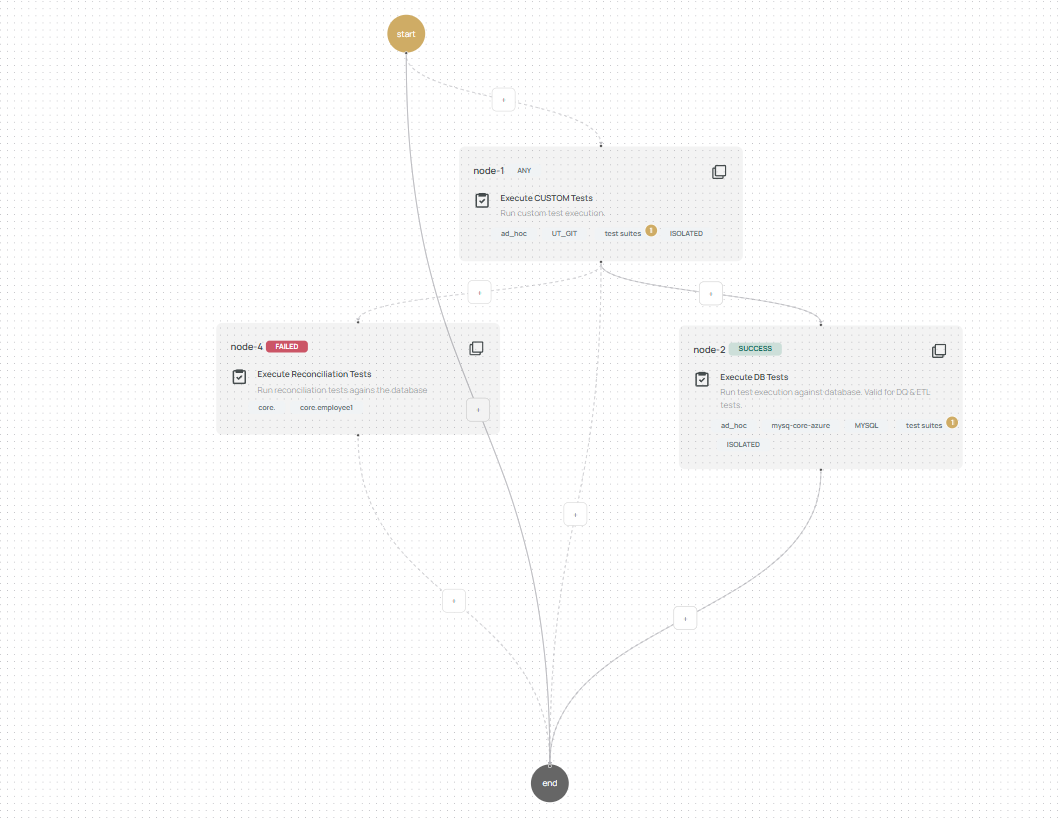
Each workflow node represents a task and can be connected sequentially or in parallel. You can also apply conditional logic so that a node only executes if certain statuses from previous nodes are met.
🧩 Node Statuses
After execution, each node receives one of the following statuses:
- Success – Test executed and passed.
- Failed – Test executed but failed.
- Error – Task execution itself failed.
- Skipped – Node was not triggered due to unmet conditions.
⚙️ Trigger Conditions
Each node can be conditionally triggered based on the status of its parent nodes:
| Condition | Trigger Rule |
|---|---|
ANY | Runs if any parent node finishes (unless Skipped). |
SUCCESS | Runs if at least one parent node has status Success. |
FAILED | Runs if at least one parent node has status Failed. |
ERROR | Runs if at least one parent node has status Error. |
ALL SUCCESS | Runs only if all parent nodes have status Success. |
ALL FAILED | Runs only if all parent nodes have status Failed. |
ALL ERROR | Runs only if all parent nodes have status Error. |
Nodes with no parent (head nodes) always default to ANY and cannot have conditional triggers.
You can mix statuses like SUCCESS, FAILED, and ERROR, but you cannot combine ALL or ANY with others.
🧬 Runtime Variables & Parameter Modes
Each node can define Runtime Variables and decide how parameters are passed to child nodes.
| Mode | Description |
|---|---|
ISOLATED | No variable passing between nodes. |
PASS OVER | Pass runtime variables from parent to child nodes directly. |
REUSE ENV | Child node reuses parent node's environment. |
MERGE FORWARD ENV | Merge parent runtime variables with a defined group, then use in the child. |
FORWARD ENV | Forward only the runtime variables from the parent to the child node. |
Read more: Runtime Variables
🛠 Creating a DAG Workflow
- Open the Workflow tab under the E2E section in the sidebar.

- Fill in the workflow name, optional tags, and description.

-
If you want to base this DAG on an existing template, click "Select From Template".
-
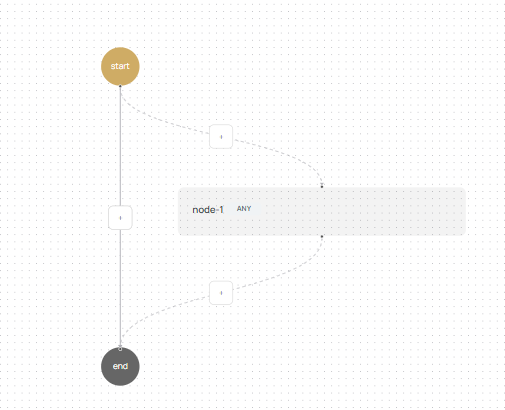
Use the designer to add nodes by clicking the ➕ icon where needed:
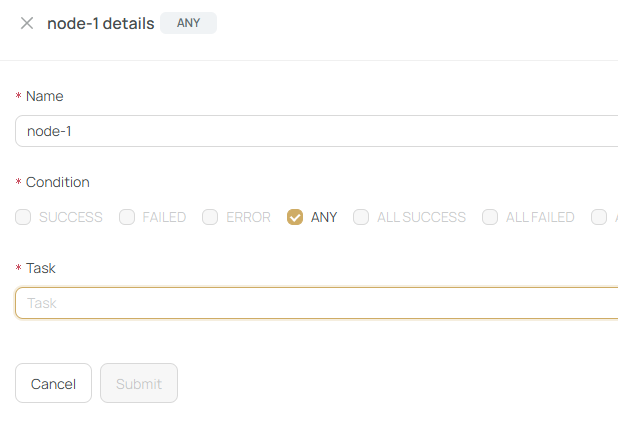
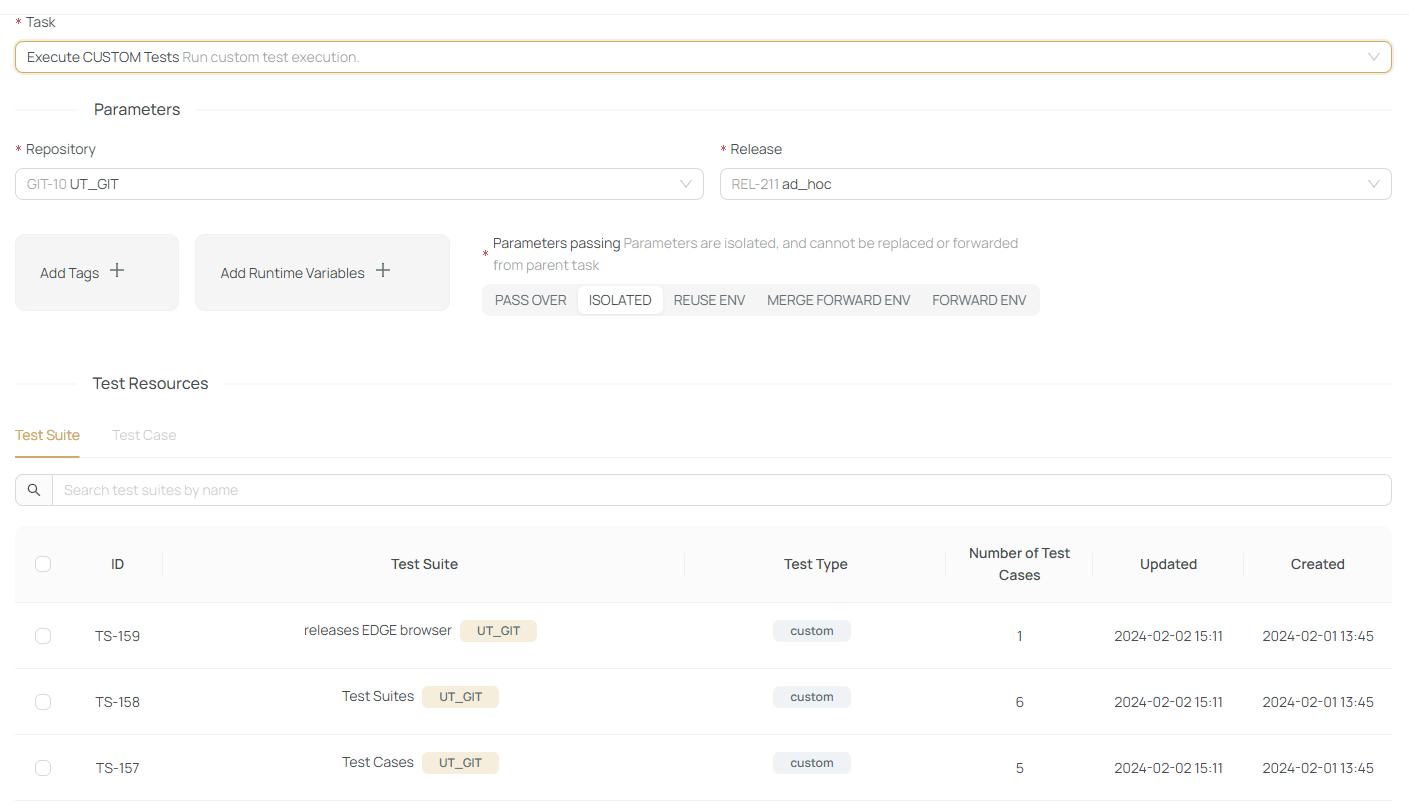
- In the node creation modal, define:
- Node name
- Type of task
- Tests or parameters to run
- Connection, release, and runtime variables
- Trigger conditions for the node
🧠 Only
ANYis allowed for trigger condition on head nodes.
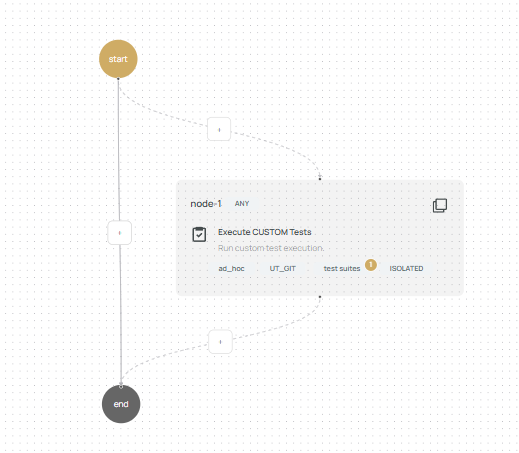
🎯 Node Designer View
Once a node is submitted, it appears on the designer canvas. You can add as many nodes as required, building sequential or parallel paths.
💾 Saving or Running the DAG
When your workflow is complete:
- ✅ Choose to Save as Template (for reuse)
- 🔔 Enable notification on DAG execution events
- ▶️ Click Submit to execute the workflow
If you'd like to organize multiple DAGs into a reusable bundle, check out Group Executions.