🏗️ Testing in X-AutoMate
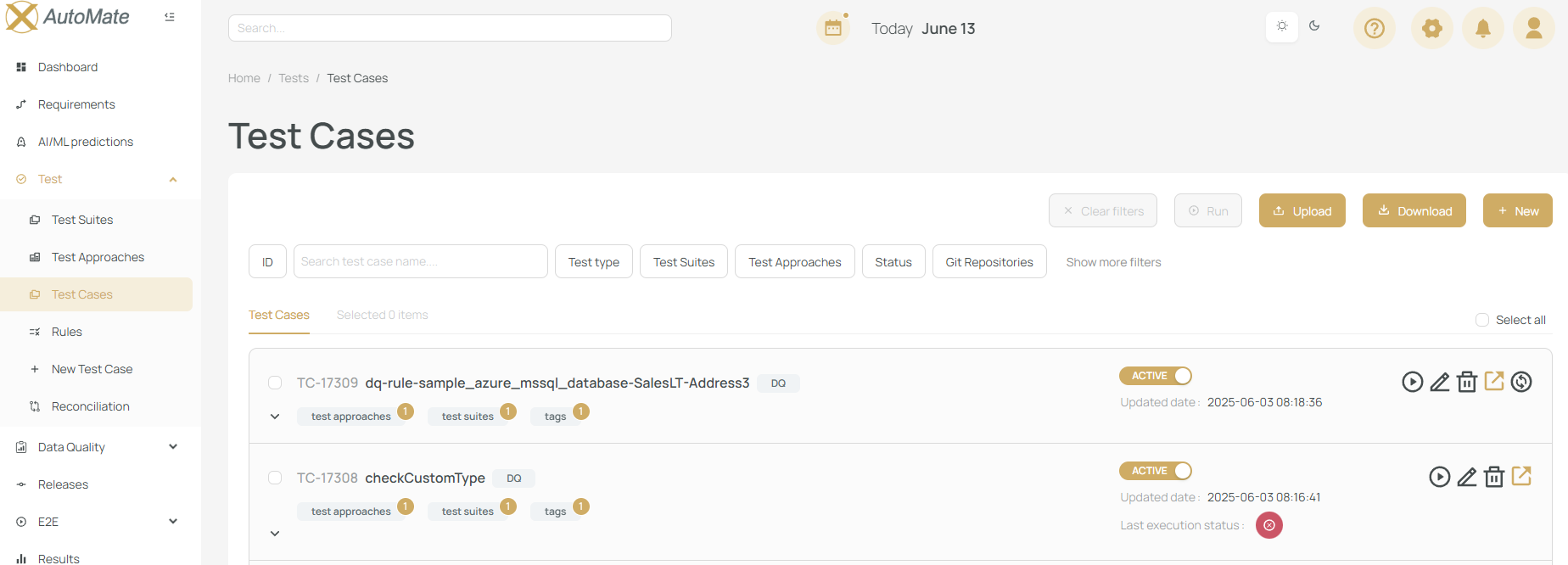
Test Cases are the core units of execution in X-AutoMate.
They represent the smallest testable components in your datastore.
Each test case can result in a Pass or Fail status based on industry-standard validation rules.
🧩 Test Suite and Test Case Relationship
A Test Suite is a logical grouping of related test cases.
A Test Case is like a toy, and a Test Suite is a box that contains toys.
- A test case can belong to multiple test suites.
- A test suite can include multiple test cases.
🧪 Test Approach
Test Approaches define how a component is tested.
They offer an abstraction layer that helps standardize testing across similar systems or flows.
A Test Approach is the type of toy (e.g., car, dinosaur, doll), while a Test Case is a specific toy (e.g., red sports car).
- A test case can implement multiple test approaches.
- A test approach can be reused across many test cases.
🧠 Rules (Behind-the-Scenes Logic)
Rules are internal, often SQL-based templates used to identify or connect related test cases behind the scenes.
Rules are like a suspension system in a toy car—vital but hidden.
- Rules are not visible to end users.
- They help structure and standardize logic across cases.
📚 Hierarchy Overview
X-AutoMate’s test structure is organized into three levels:
- Test Suites – Top-level functional groups (e.g., "Purchase Flow Tests")
- Test Approaches – Defined methods or patterns (e.g., "Purchase Fibre Connection")
- Test Cases – Concrete, executable test scenarios (e.g., "Purchase 10/10 Mbps Fibre")
💡 Example Scenarios
🖥️ Web UI Test
- Suite: Purchase Product
- Approach: Purchase Fibre Connection
- Case: Purchase 10/10 Mbps Fibre Broadband
- Approach: Purchase Fibre Connection
🗄️ DB/Data Test
- Suite: Data Quality Tests
- Approach: Missing Values Check
- Case: Null check in primary key columns (customer table)
- Approach: Missing Values Check
🧪 Test Case Types
X-AutoMate supports several types of test cases:
- 🏗️ DB Test Cases – Validate Extract, Transform, Load processes
- 📊 Data Quality (DQ) Checks – Validate completeness, accuracy, and integrity
- 🧰 Custom Test Cases – Fully user-defined and flexible
- 🔄 Reconciliation Tests – Validate consistency across multiple data sources
Each type is documented separately with specific examples.
🧭 Accessing the Test Menu
To manage your test components:
- Click the "Test" option from the main navigation screen
- From there, access:
- 🧩 Test Suites
- 🧪 Test Approaches
- 📄 Test Cases
🧵 End-to-End Use Case
By combining Test Suites, Test Approaches, and Test Cases, X-AutoMate supports cross-technology validation.
Example:
After purchasing a 10/10 Mbps fibre line via Web UI, a test ensures noNULLvalues exist in key fields in the backend database for that order.
📥 Bulk Changes @ Test Suites / Test Cases
Users can:
- 📤 Download selected suites/cases as Excel for bulk editing
- 📥 Reupload the modified file to update the system
- ➕ Create new Test Suites or Test Cases using the New button on the same screen
This feature is especially useful when large changes occur in table structure or test naming.