🔄 Reconciliation Tests
Reconciliation Tests are used to verify that data in a target system matches data in a source system.
They are especially useful in scenarios like:
- 📤 Data migration between systems
- 🌐 Cross-environment comparison (e.g., between UAT and Sandbox)
X-AutoMate supports reconciliation testing for all major DWH and database technologies.
You can learn more about supported platforms in the X-AutoMate Introduction.
🧬 Structural Similarity to DB Tests
Reconciliation tests are structurally similar to DB test cases, but with a key difference:
- 🆚 Reconciliation tests compare data between two sources
- 🧩 They use multiple specialized keywords
- 🧪 They are often referred to as the "smaller sibling" of DB tests
Additionally, reconciliation tests are automatically generated by X-AutoMate.
All you need to do is:
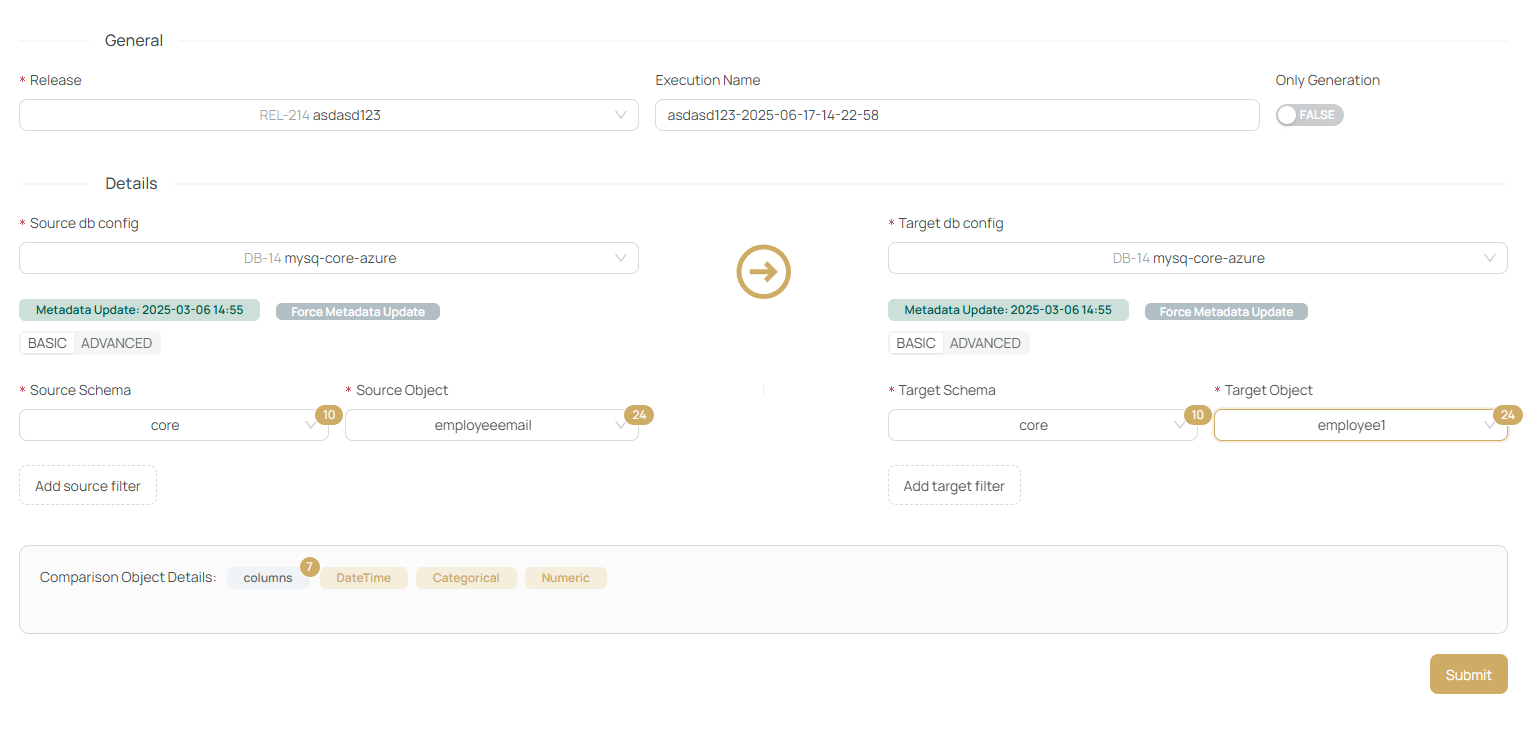
- Specify source and target connections
- Select objects and filters
- Submit — and X-AutoMate will generate a Test Suite containing reconciliation test cases
These cases will appear under /tests/cases.
🚀 Creating a Reconciliation Test
To create a new reconciliation test:
-
Open the
/reconciliationpage -
Select:
- 🔗 Source connection
- 🔗 Target connection
(Make sure both connections are added beforehand.)
-
Select the source and target objects (tables/views)
🧠 If the object list is empty or incomplete, click "Force Metadata Update" to refresh schema information.
📊 Metadata Preview
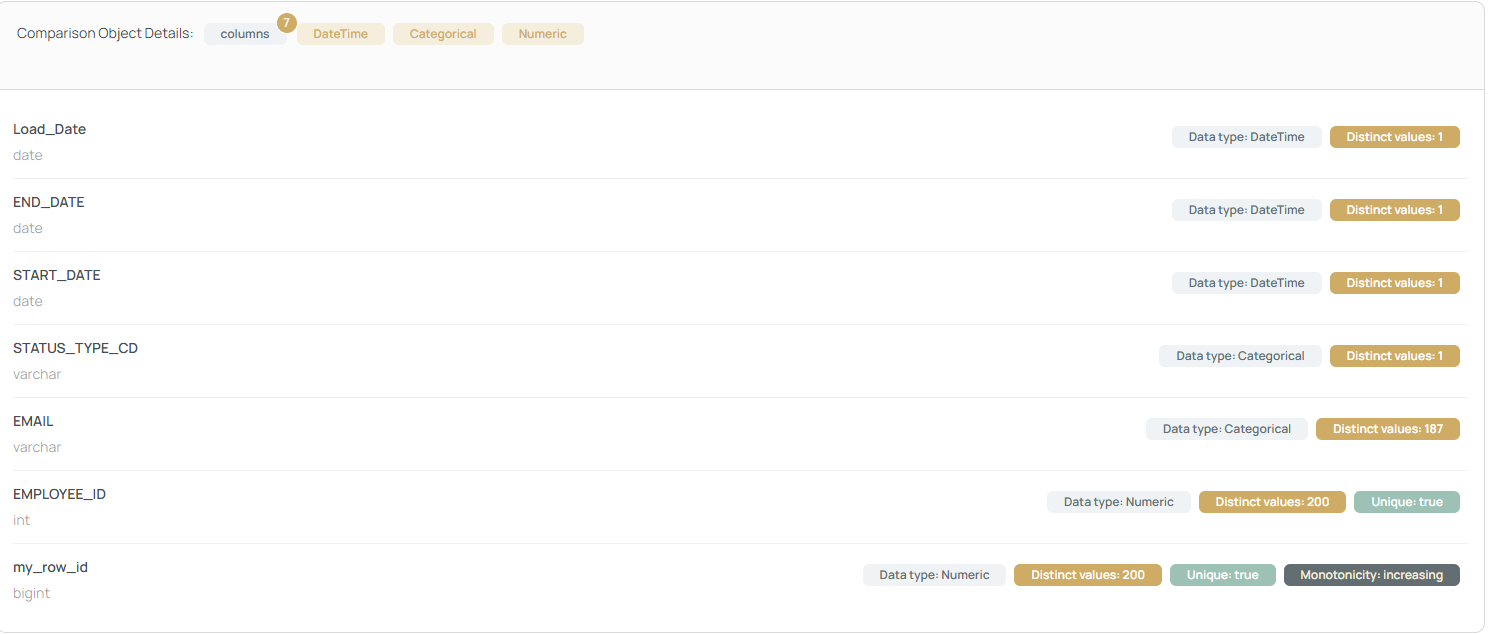
If profiling information is available, you’ll see object-level metadata under the Comparison Object Details section:
🧙 Advanced Mode
Switching to the Advanced tab lets you specify objects using SQL syntax (e.g., core.employee).
🛑 X-AutoMate does not validate the existence of the object in this mode — use with caution!
📝 Generating the Test
Once all details are filled:
- Press the Submit button to generate and execute reconciliation tests.
- Alternatively, if you only want to generate the test cases, enable the "Generate Only" toggle.