🤖 AI/ML Predictions
Predictions is a powerful feature in X-AutoMate that helps you generate proposals for ETL test cases or Data Quality (DQ) checks based on collected metadata and profiling of your data storage.
🧭 Accessing Predictions
To explore predictions:
- Navigate to the AI/ML Predictions tab in the left sidebar.
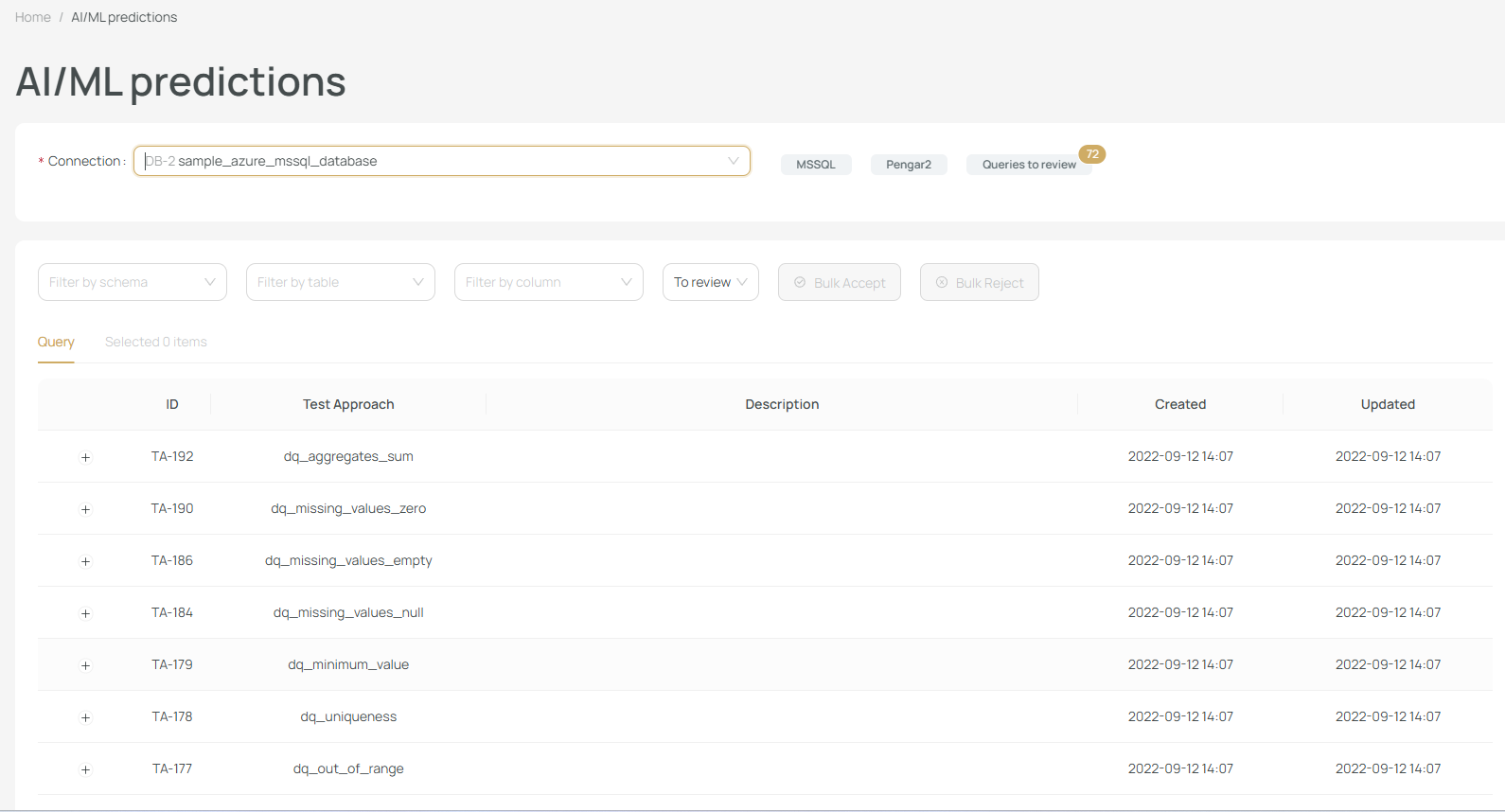
On the main screen, you’ll see a list of connections for which predictions have been generated.
✅ Make sure you're checking the correct data warehouse (DWH) connection.
🔍 Filtering Predictions
You can filter predictions by:
- Schema
- Table Name
- Column Name
- Prediction Status:
To ReviewAcceptedRejected
This helps you locate relevant suggestions or track status of previously reviewed ones.
📦 Prediction Grouping
Predictions are grouped by the Test Approaches they belong to.
To see individual test case proposals:
- Find a Test Approach.
- Click on the ➕ icon to expand.
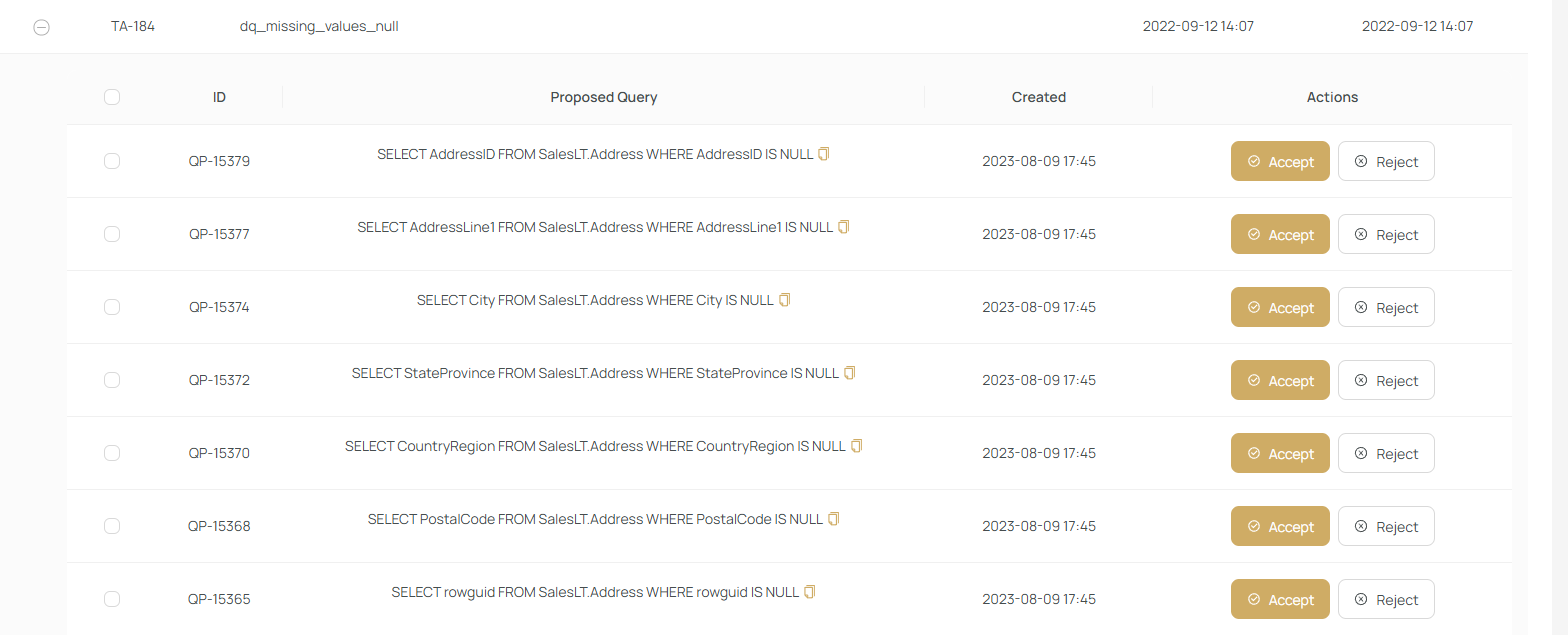
✅ Accepting a Prediction
To accept a prediction:
- Click Accept
- Choose whether to create a DQ check or an ETL test case

A familiar test case creation screen will appear, where you can:
- Modify fields if necessary
- Press Save to convert it into a real test case or DQ check
❌ Rejecting a Prediction
Click Reject to dismiss a suggestion.
Rejected predictions will not be shown again and will train the ML model to avoid similar suggestions.
🔄 Bulk Actions
You can select multiple predictions and:
- ✅ Bulk Accept
- ❌ Bulk Reject
This simplifies review of large suggestion lists.
📈 Model Evolution
At the beginning, predictions come from a generic machine learning model.
As you accept or reject suggestions:
- The model learns from your choices
- Becomes smarter and more tailored to your data
- Proposes more relevant and accurate test cases over time
🚀 Let AI accelerate your test creation process while you stay in full control.