🏗️ DB Test Cases
An DB Test Case is used to validate the logic of your Database, Datawarehouse, Datalakehouse Tests.
These tests are typically executed in lower environments (e.g., QA, UAT) that replicate production with masked or synthetic data.
You should run DB test cases whenever you:
- Introduce new features
- Modify existing DB logic
- Perform release validations
Think of DB tests as unit tests for data.
They are usually grouped into test suites and scheduled as part of the release cycle to proactively detect regressions or bugs before they reach production.
🧠 Early testing in non-production environments helps catch data issues and DB bugs early — preventing costly incidents in production.
🔍 Test Case Screen Features
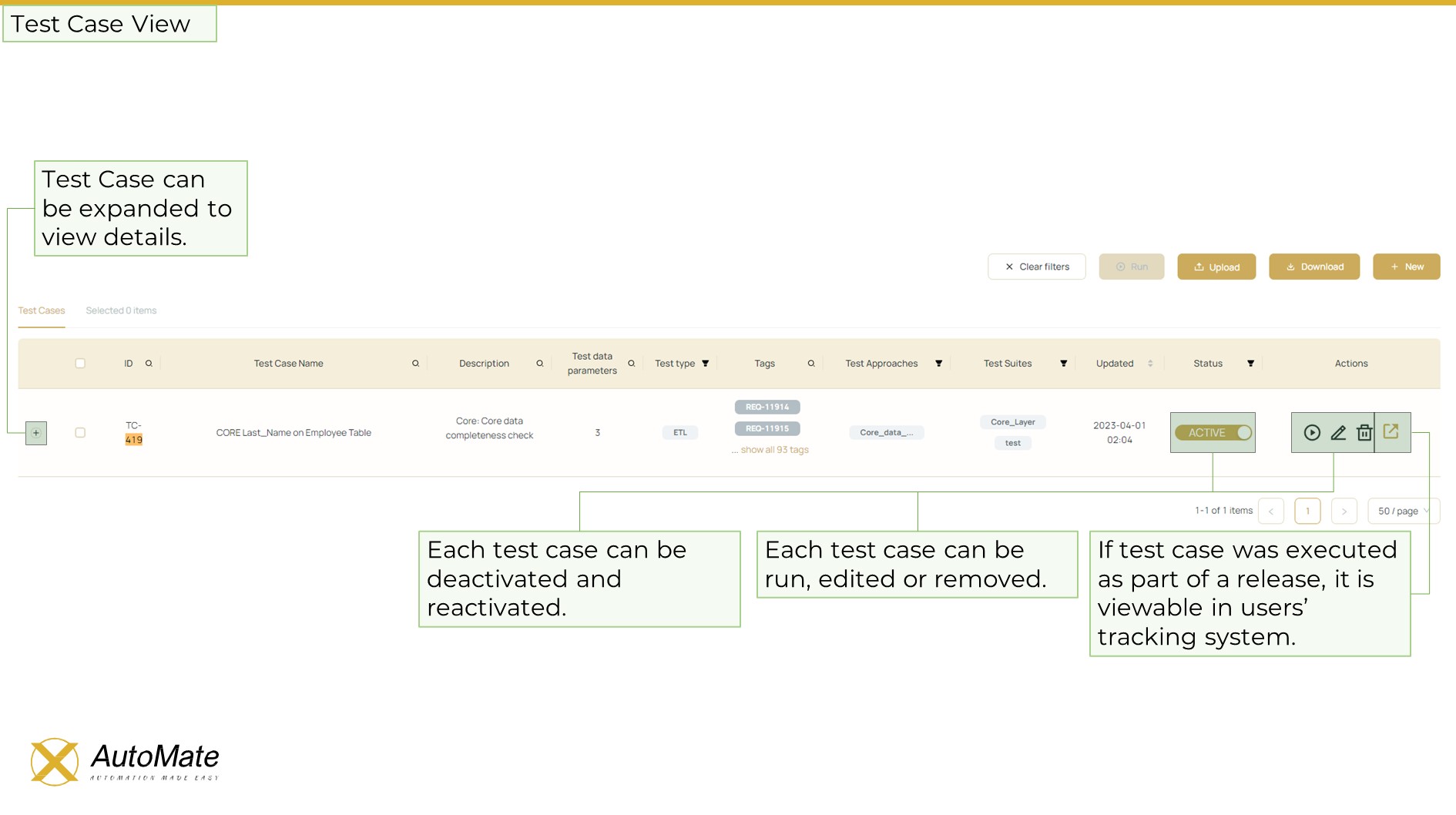
The test case screen allows you to:
- Filter test cases by:
- Name
- ID
- Test Type
- Test Approach
- Status
- GIT Repository parameters (for custom tests)
- Select and execute one or more test cases by clicking the ▶️ Run button
- 📥 Download or 📤 Upload test cases using Excel files
🔎 Test Case Details View
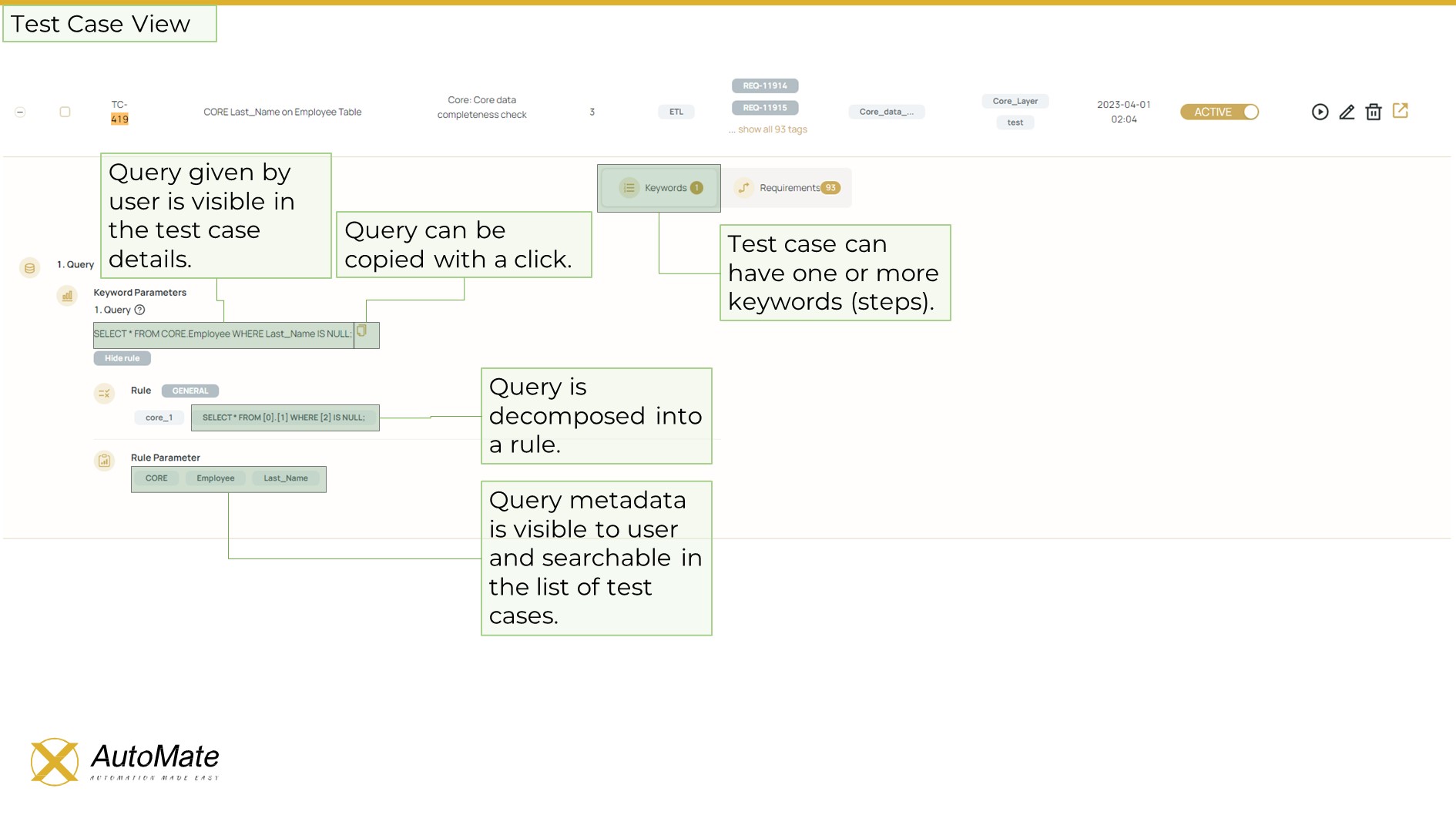
Clicking the expand (+) button next to a test case allows you to view:
- 📋 Test Case Metadata
- 🧩 Test Steps
- 🧪 Assigned Keywords
🆕 Creating a New DB Test Case
Click the ➕ New button to open the test case creation screen.
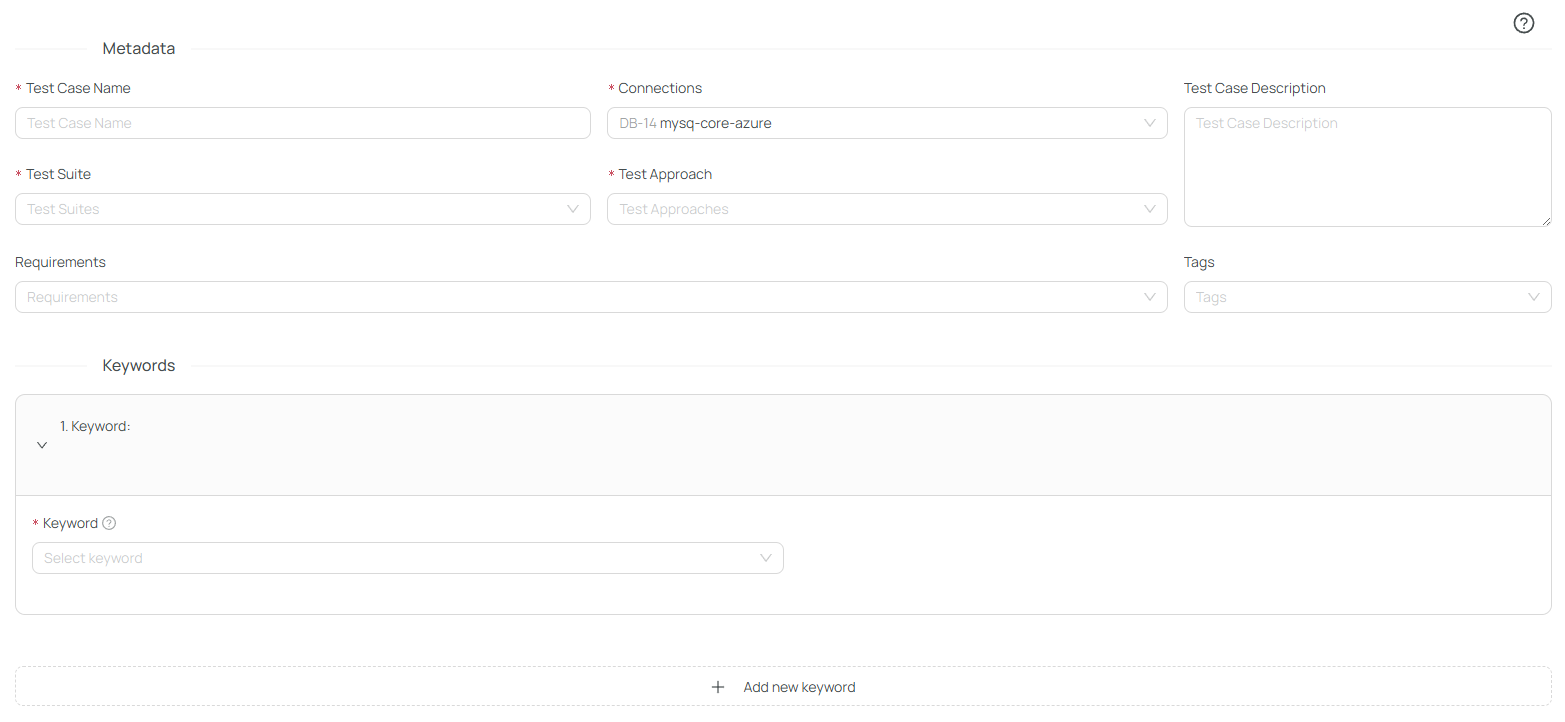
Here, you will:
- Provide a test case name
- Link it with:
- One or more Test Suites
- Relevant Test Approaches
- Associated Requirements
- Select the database connection where the test will run
- Add descriptive tags for better organization and future filtering
🧩 Defining Keywords (Test Conditions)
Each test case is built using modular blocks called Keywords (inspired by Robot Framework naming).
These represent test pass conditions and allow flexible configuration.
📚 Read more about this in the Keywords documentation
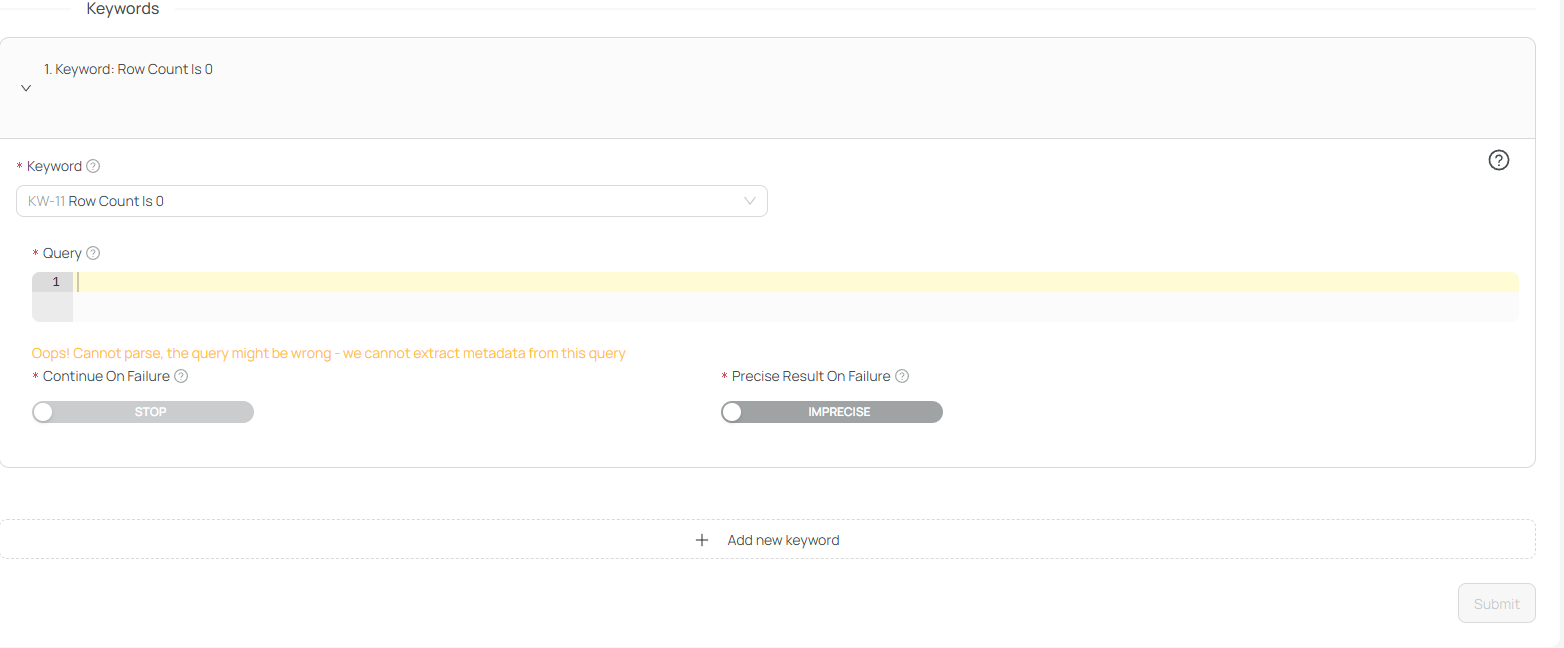
You can:
- Provide a query (e.g., to get row counts or specific data sets)
- Choose to:
- Require exact result matching
- Continue or stop execution based on previous keyword status
✅ Saving & Parsing the Test Case
Once complete, the test case will be saved and processed.
🎩 Behind the scenes, X-AutoMate's SQL parser will automatically:
- Extract rules from your query
- Connect them with the target database metadata
✏️ Additional Actions
You can also:
- 📝 Edit the test case
- 🗑️ Delete the test case
- 🔗 Go to External System — If linked with a requirement, this takes you to the corresponding entry in your backlog management tool
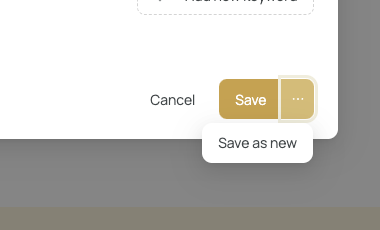
- Create as new