🧼 Data Quality Checks
Data Quality (DQ) Checks are used to measure the quality of your datasets.
Unlike test cases that return a strict pass/fail, DQ checks tell you how much of the data fails a defined rule.
🧠 Think of a DQ check like a thermometer — it doesn’t tell you if you're sick, but it measures your temperature.
🛠️ Thresholds
When creating a DQ check, you define thresholds that represent acceptable data quality levels:
- ⚠️ Warning Threshold – Quality is acceptable, but potentially risky
- ❌ Critical Threshold – Quality has dropped significantly and action is needed
🔍 Types of Data Quality Checks
X-AutoMate offers two types of DQ checks:
- Simple Checks – Created using a wizard interface for non-technical users
- Custom Checks – Free-form queries for advanced scenarios
🧙 Simple Data Quality Checks
Simple checks help users generate SQL behind the scenes via an easy-to-use UI.
They cover various domains, as shown below:
| Category | Name | Description |
|---|---|---|
| Unknown | Null Count | Finds the number of records that are null (have no value). |
| Numeric | Math | Compares values using operators (e.g., <, >, =, etc.). |
| Numeric | Allowed Values | Checks if values match a predefined valid list. |
| Numeric | Value Range | Verifies that values are within a specified range. |
| Numeric | Zeroes Count | Counts how many values are equal to zero. |
| Numeric | Uniqueness | Detects duplicate values in a column. |
| DateTime | Allowed Values | Validates against a predefined set of timestamps. |
| DateTime | Value Range | Checks whether timestamps fall within a range. |
| DateTime | Null Count | Counts missing timestamps. |
| DateTime | Uniqueness | Detects duplicate timestamps. |
| Categorical | Allowed Values | Checks string values against an allowed list. |
| Categorical | Uniqueness | Detects duplicate strings. |
| Categorical | Missing Values | Finds records where string values are empty. |
| Categorical | Length Range | Checks whether string lengths fall within a range. |
| Categorical | LIKE / NOT LIKE | Matches strings using wildcard patterns. |
| Categorical | Regular Expression | Validates strings against regex patterns. |
🧪 Creating a Simple DQ Check
Navigate to /data_quality/new to begin.
1️⃣ Select the Table
Choose the object you want to validate.
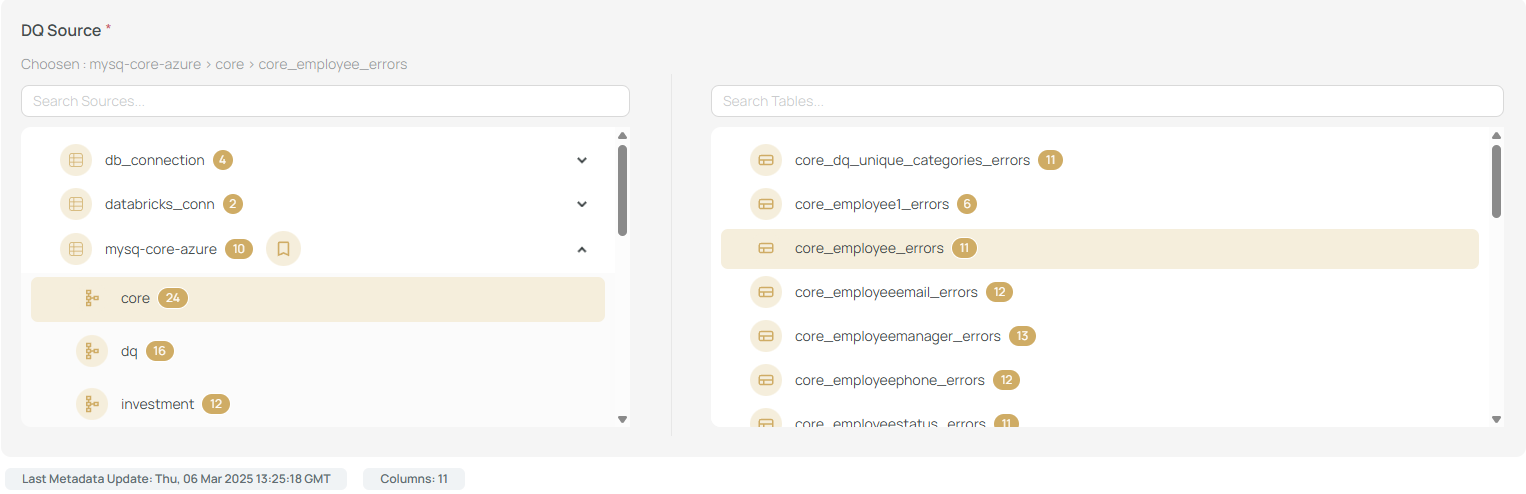
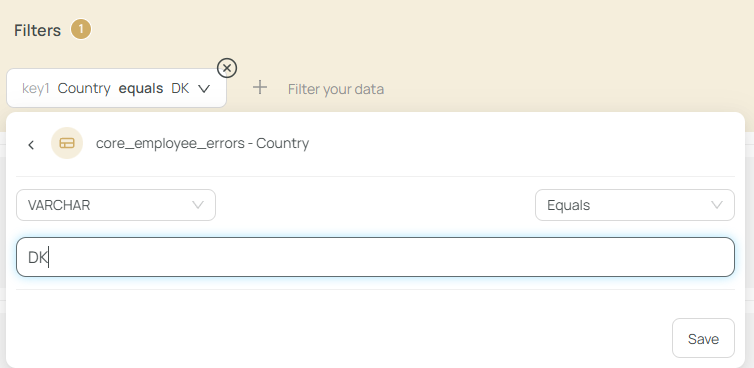
2️⃣ Add Optional Filters
Define filters to narrow the data (e.g., only check ProductType = 'Toy').
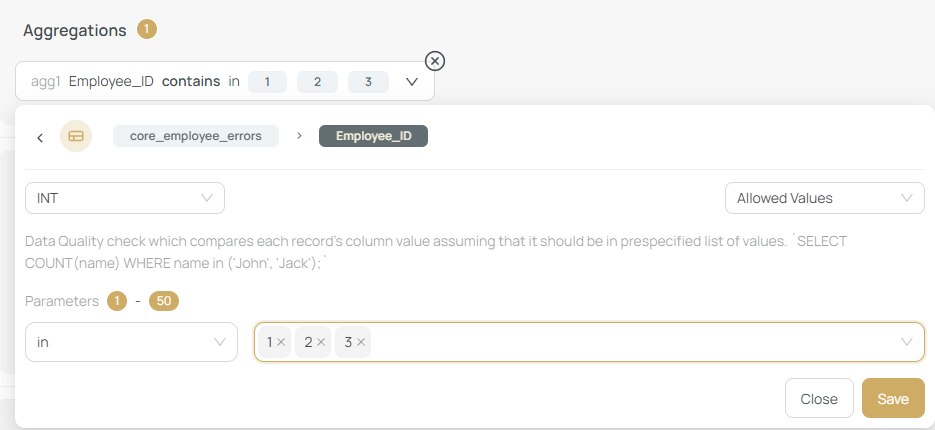
3️⃣ Choose Column & Rule
Pick the column to validate and specify the condition.
✅ Make sure your query retrieves valid data (not the bad ones).
For example: To detect customers under 18 years, the correct data is age >= 18.
4️⃣ Define Thresholds
Set your warning and critical thresholds.
💬 Example:
- Good Data: ≥ 90%
- Warning: 80%–90%
- Critical: < 80%

5️⃣ Add Metadata
You can:
- 🔗 Link to a requirement
- 📝 Add a DQ description (recommended for clarity)
6️⃣ Submit and Review
Once saved, you are redirected to /results to review the filtered DQ check.
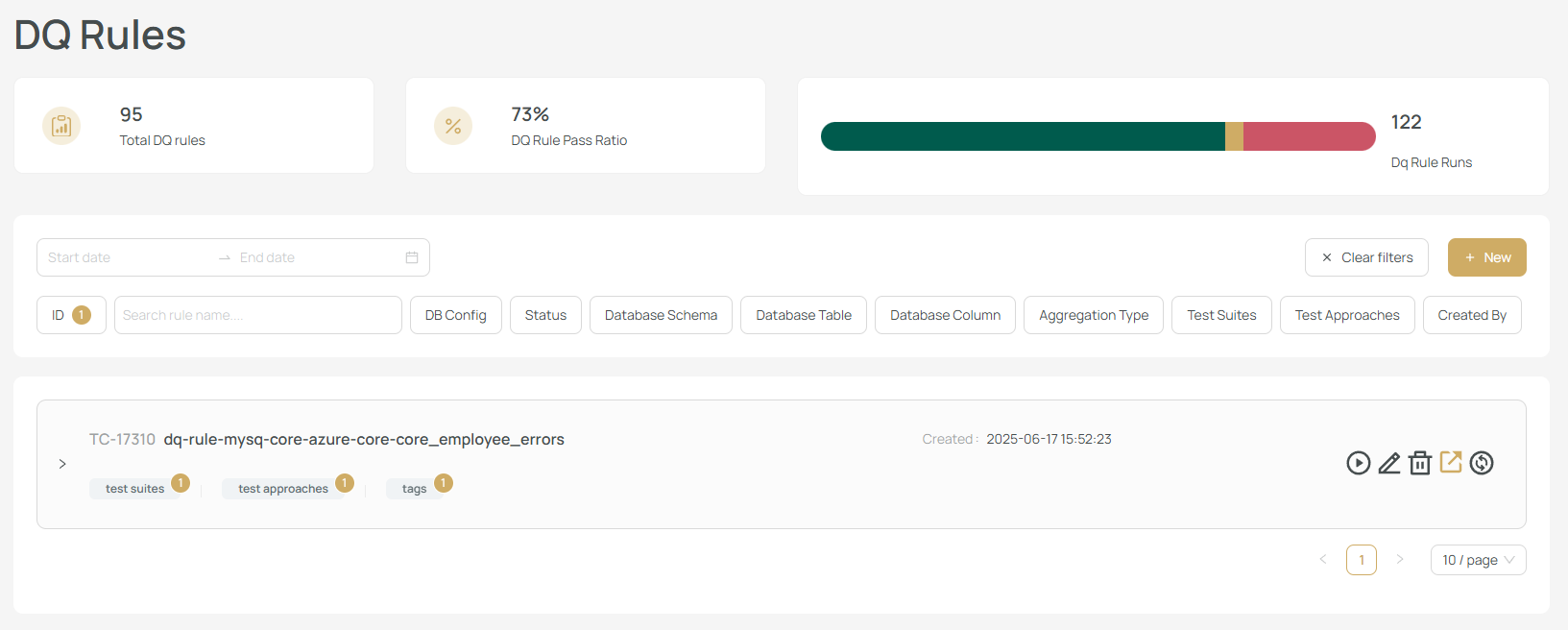
The check is also listed under /test/case.
🔁 Operations & Reusability
- ✅ DQ checks behave like DB test cases (see
etl.md) - 🔄 You can convert a simple DQ check to a custom one by clicking “Convert to Custom Check”
✨ Custom Data Quality Checks
A Custom DQ Check lets you define free-form logic using three SQL queries:
- 📊 Aggregation Query – Total count of valid data
- 🚨 Bad Records Count – Number of failing records
- 📋 Bad Records Query – List of failing records for inspection
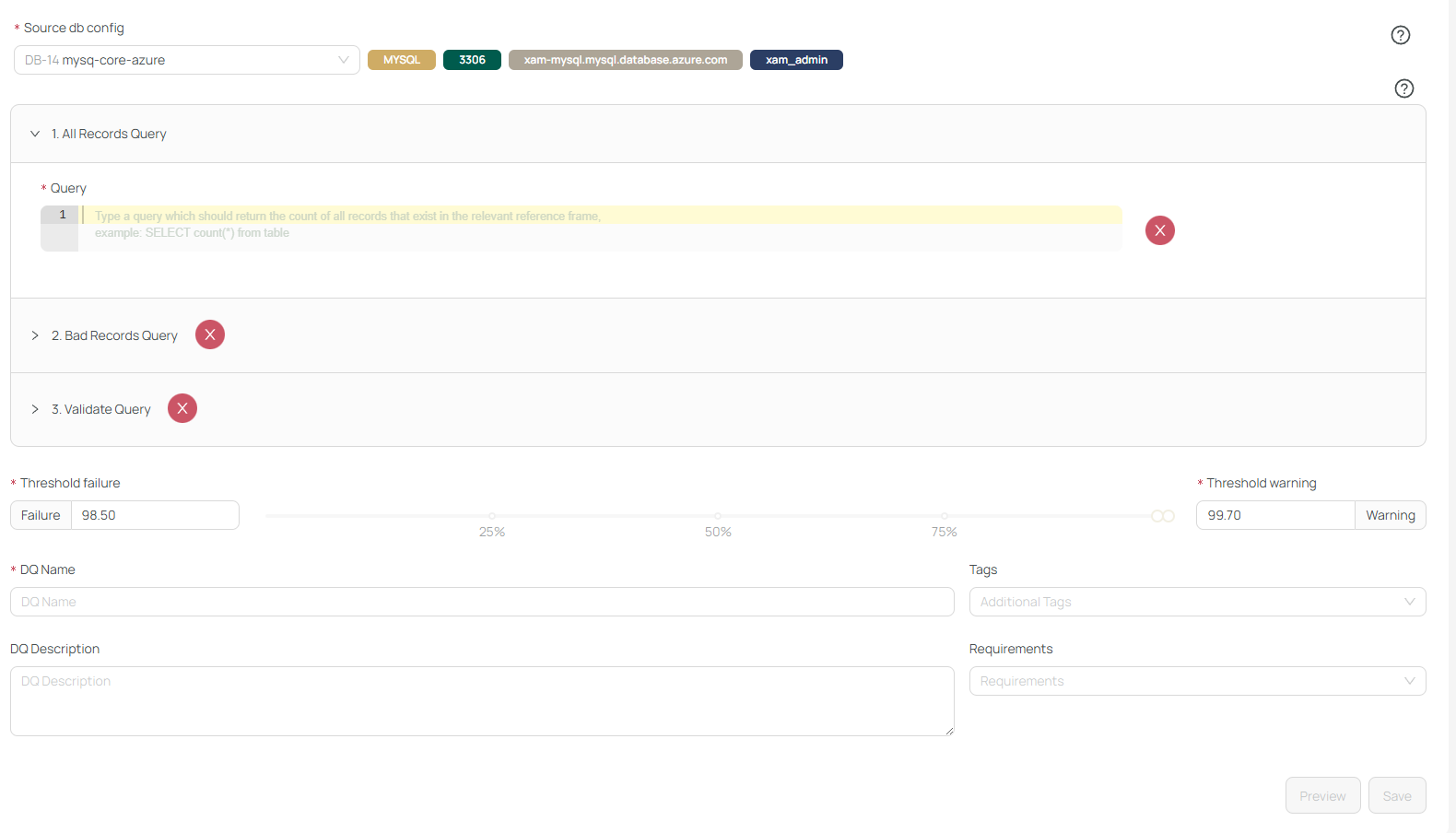
You also provide:
- 🏷️ A name
- 📝 A description
- 🎯 Thresholds
- 🔗 Requirements and tags (optional)
Once saved, you’re redirected to /results.
🧩 Additional Options
While editing, you can:
- 🔁 Reassign DQ checks to new test suites
- ➕ Assign test approaches
- 🔄 Link to more connections or metadata