🤖 AI Capabilities
X-AutoMate now includes Generative AI features that speed up test creation, provide on-demand assistance, and enable integration with agentic workflows.
🧠 AI-Powered Query Generation
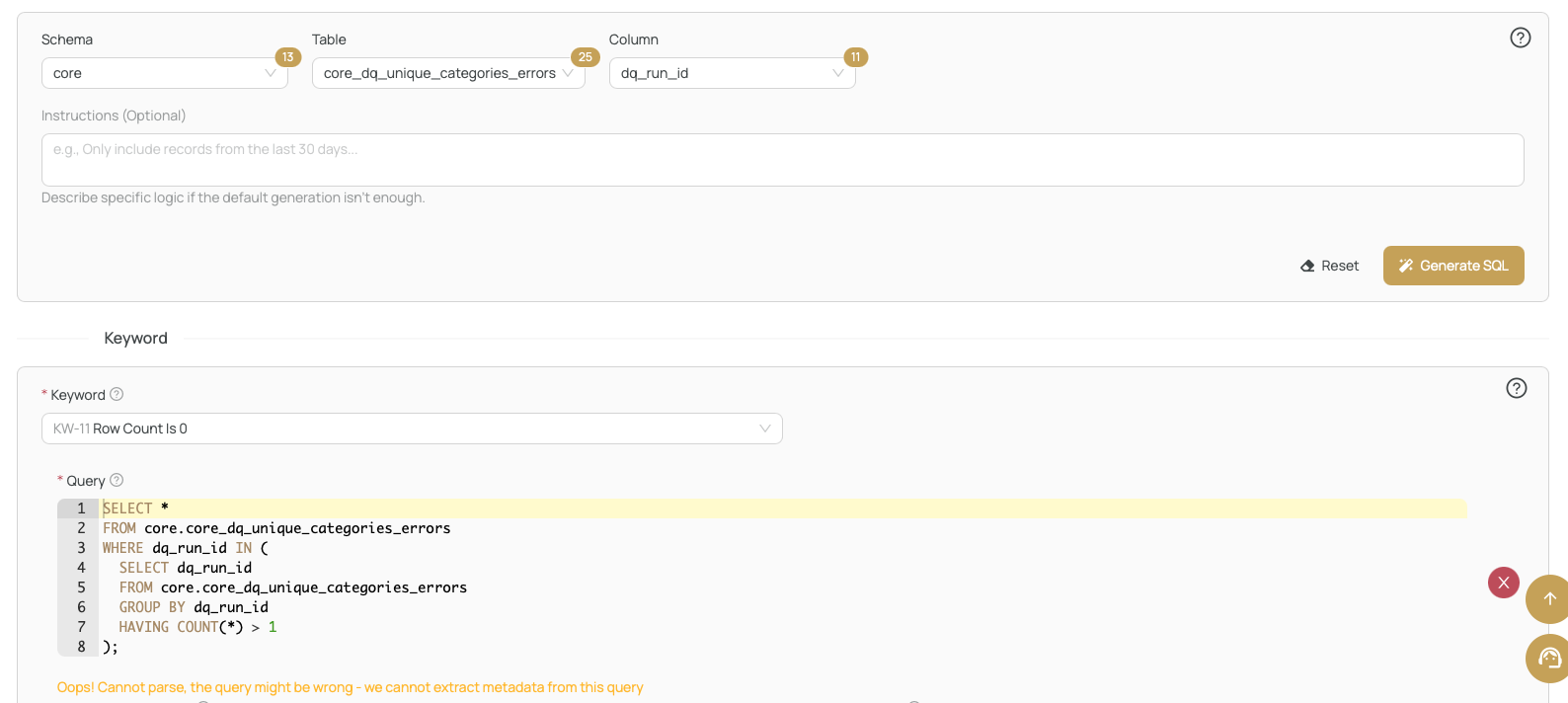
When creating a test case, you can let AI generate the SQL query for you based on your metadata and selected test approach.
Metadata-Based Generation
- Navigate to the Create Test Case screen
- Select a Test Approach and provide schema details
- AI generates a query tailored to your metadata
You can also add additional instructions to guide the generation. If the result doesn't match your expectations, refine your instructions and hit Regenerate.
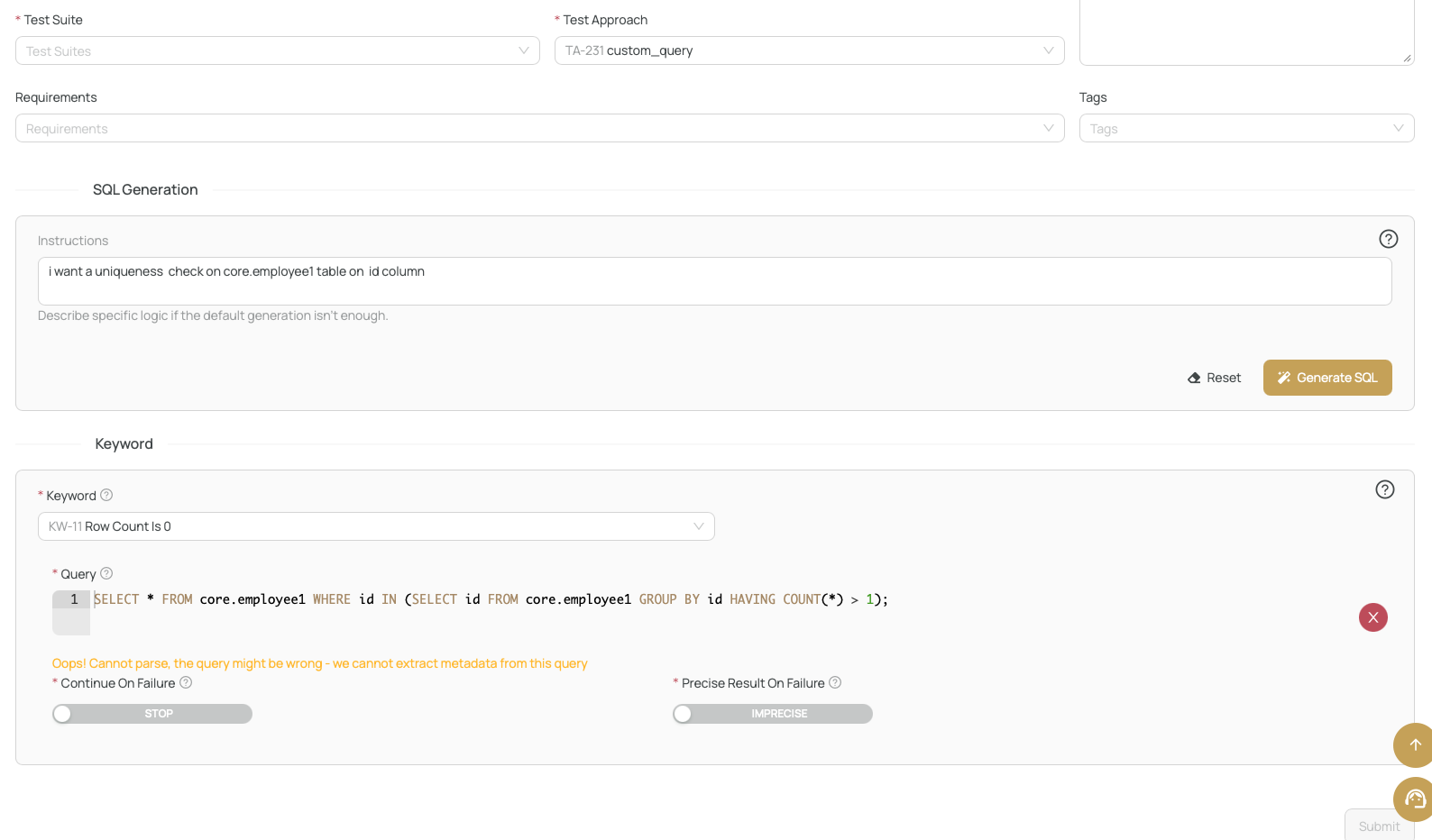
Custom Query Generation
When using the custom_query approach, you can simply describe what you need in plain text — no metadata required. AI creates the query based on your description.
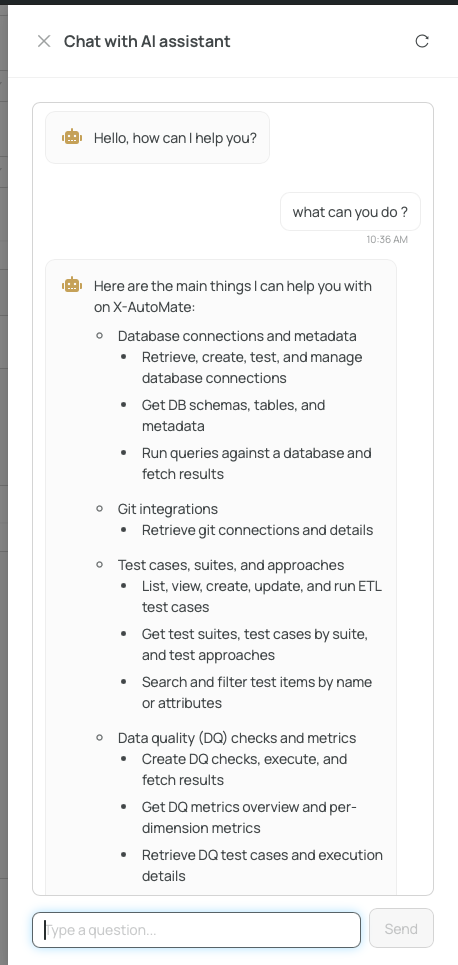
💬 X-AutoMate Assistant
The built-in AI Assistant chatbot helps you manage your app through conversation. Ask it questions to:
- 🔍 Find information without navigating menus
- 📖 Get explanations of X-AutoMate concepts
- ⚡ Quickly access the data you need
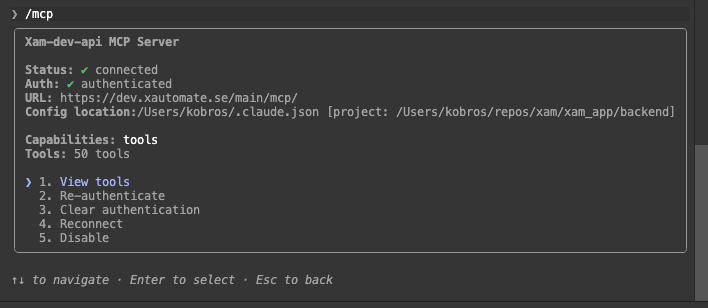
🔌 MCP Integration
You can expose your X-AutoMate instance via MCP (Model Context Protocol) and connect it to any AI agent of your choice. This enables unlimited possibilities to inject your testing into agentic workflows.
Setup
- Generate an API key in X-AutoMate
- Add the MCP endpoint to your agent:
- URL:
your.xautomate.host/main/mcp - Header:
Authorization: Bearer your_key
- URL:
- That's it — your agent can now interact with X-AutoMate