📐 Templated Test Cases (Rules)
Rules let you create many test cases at once using parameterized SQL templates. When the same validation pattern applies to many tables, columns, or schemas, rules remove the repetitive work and keep your tests consistent.
🎯 X-AutoMate Rules were reworked to help testers move fast and create coverage in bulk — without giving up clarity or control.
🧠 Why Use Rules?
Many test cases follow the same pattern — only the target table, column, or schema changes. Instead of creating each test case manually, rules let you:
- ✅ Define a template once with placeholders
- 🔁 Generate multiple test cases by providing different parameter sets
- ⚡ Speed up test creation dramatically for large-scale projects
- 📏 Stay consistent across hundreds of similar checks
A Rule is like a cookie cutter — you define the shape once, then stamp out as many cookies (test cases) as you need, each with its own flavor (parameters).
🔗 Rules and Test Approaches
Rules are connected to Test Approaches. When you select a test approach during test creation, the rules associated with that approach become available automatically.
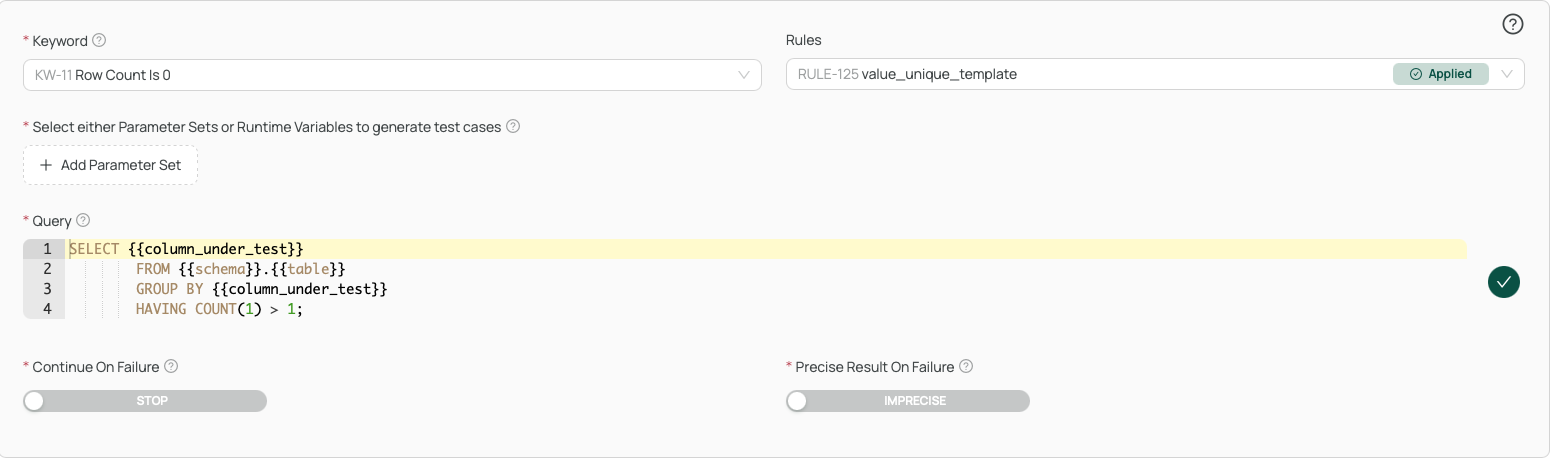
✨ Reworked Rules Experience
The rules screen has been reworked to make it easier to find, inspect, and reuse templates. You can browse the available rules, expand them, and see exactly what they do before applying them.
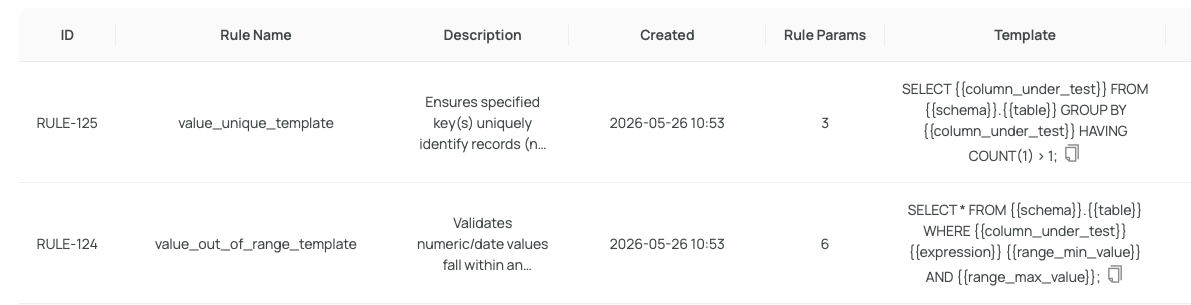
Expanding a rule shows the full template details — the SQL body, the parameters it expects, and the approach it's linked to.
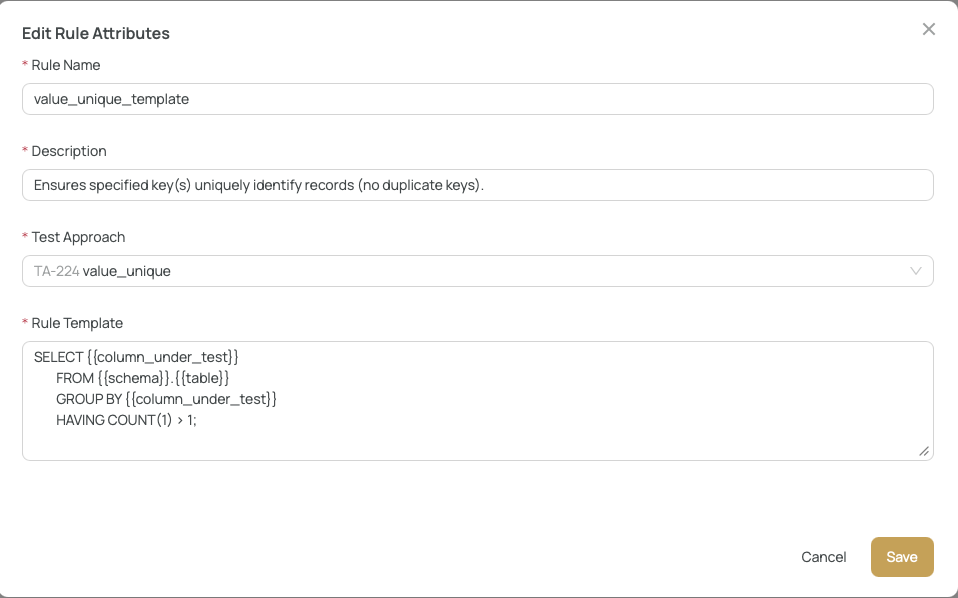
🛠 Parameterized Syntax
Rules use a clear parameterized syntax with double curly braces {{ }} as placeholders:
SELECT * FROM {{schema}}.{{table}} WHERE {{column_under_test}} IS NULL
In this example:
{{schema}}— the database schema{{table}}— the target table{{column_under_test}}— the column to validate
You can modify rules freely — add or remove parameters, adjust the SQL logic, or save your changes as a new rule for future use.
📋 Parameter Sets
Once you've picked a rule, you fill in the parameters. Each parameter set becomes its own test case.
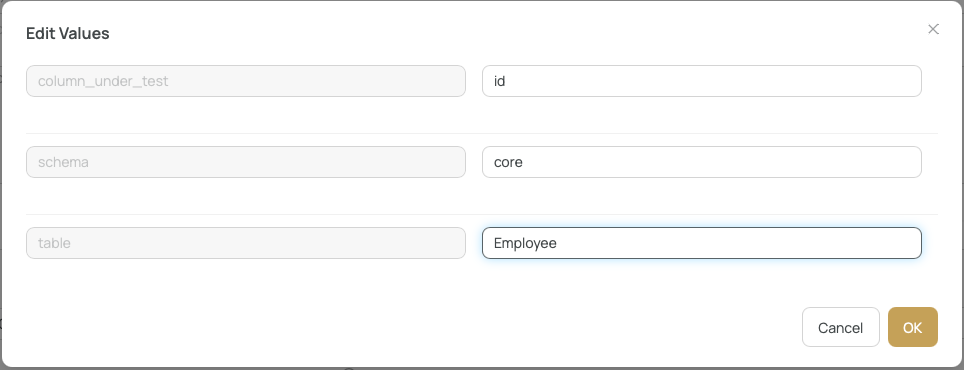
Need to cover many tables or columns? Just add multiple parameter sets — each one will produce a separate test case from the same template.

For broad coverage (e.g. "check NULLs in 50 columns across 12 tables"), one rule + many parameter sets beats writing 600 individual test cases every time.
✅ Creating Tests from Rules
When your rule and parameter sets are configured, press Submit. X-AutoMate generates all the corresponding test cases at once.
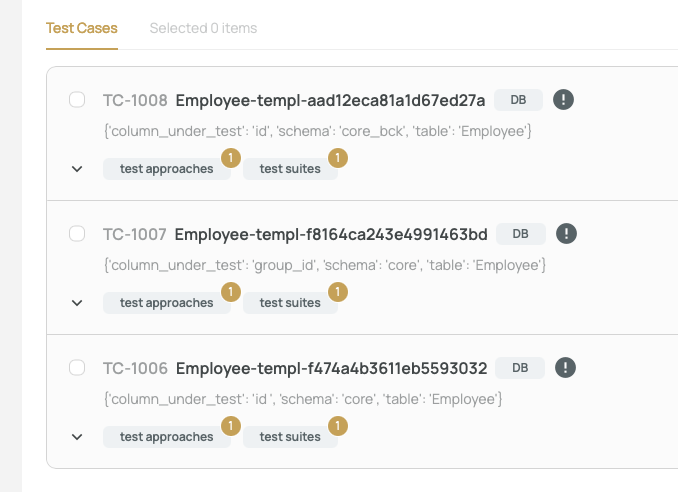
🚀 One submission, dozens of ready-to-run test cases.
📌 Summary
| Feature | Description |
|---|---|
| Template syntax | {{parameter}} placeholders in SQL |
| Linked to | Test Approaches |
| Parameter sets | Multiple groups per rule — each produces a test case |
| Editable | Modify rules or save as new |
| Output | Batch-created test cases on submit |
| Reworked UI | Easier browsing, inspection, and reuse of templates |