💬 X-AutoMate AI Assistant
The X-AutoMate Assistant is a built-in chat companion that lives inside the app. Instead of clicking through menus to find what you need, just ask — the assistant can fetch information, run actions, and walk you through the platform conversationally.
🎯 Think of it as the lazy-but-powerful way to get insights and trigger actions in X-AutoMate.
🧠 What the Assistant Does
The assistant provides the main chat-companion experience you'd expect:
- 💡 Answers questions about your data, tests, and platform concepts
- ⚡ Performs actions you'd normally do in the UI (create, update, run, fetch)
- 📚 Pulls context from the X-AutoMate knowledge base on demand
- 🧵 Keeps threads for important topics so you can return to them later
🧵 Threads
You can create threads scoped to important topics and return to them whenever you need to pick up where you left off. Threads keep the conversation focused and make it easy to revisit earlier work.
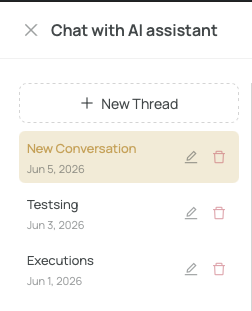
Use threads to separate different lines of work — for example, a thread for DQ coverage analysis, another for building a new test suite, and another for debugging a failed execution.
🛠 What Can the Assistant Do?
The assistant is capable of most things you can do in the app. Here are the main capability areas:
🔌 Database Connections & Metadata
- List and inspect database connections
- Create and test new connections
- Browse schemas, tables, and column-level metadata
- Look up DQ checks linked to specific metadata
- Get coverage statistics for a DB connection
🧪 Test Cases, Suites & Executions
- Search and retrieve test cases and test suites
- Create and update ETL test cases with SQL keywords
- Run test suites or templates against a database
- Manage executions: rerun, cancel, fetch runtime variables
- Access release history and scheduled jobs
🧼 Data Quality
- View the latest DQ run results and overviews
- Search DQ test cases with filters
- Create custom DQ checks with count / bad-count / verification queries
- Inspect data contracts and the DQ checks tied to them
🗂 Git & Source Control
- List Git connections and inspect their details
📚 Knowledge & Templates
- Query the knowledge base for platform concepts and documentation
- Work with DAG / workflow templates and execute them
🎬 Real-World Examples
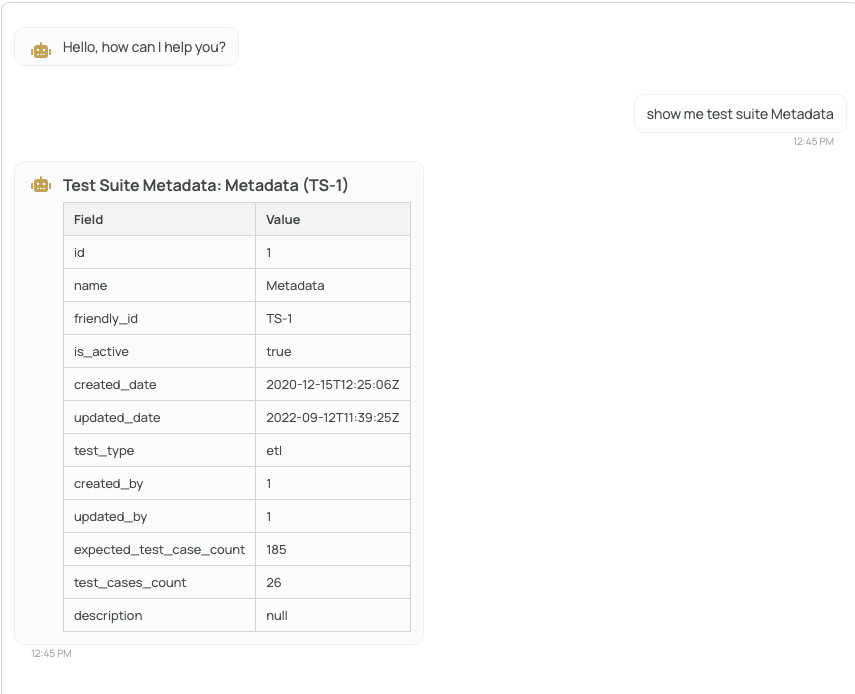
🔍 Asking for Information
Ask the assistant to list things for you — no clicking required.
📖 Knowledge Base Lookups
Need to understand how something works in X-AutoMate? Just ask.

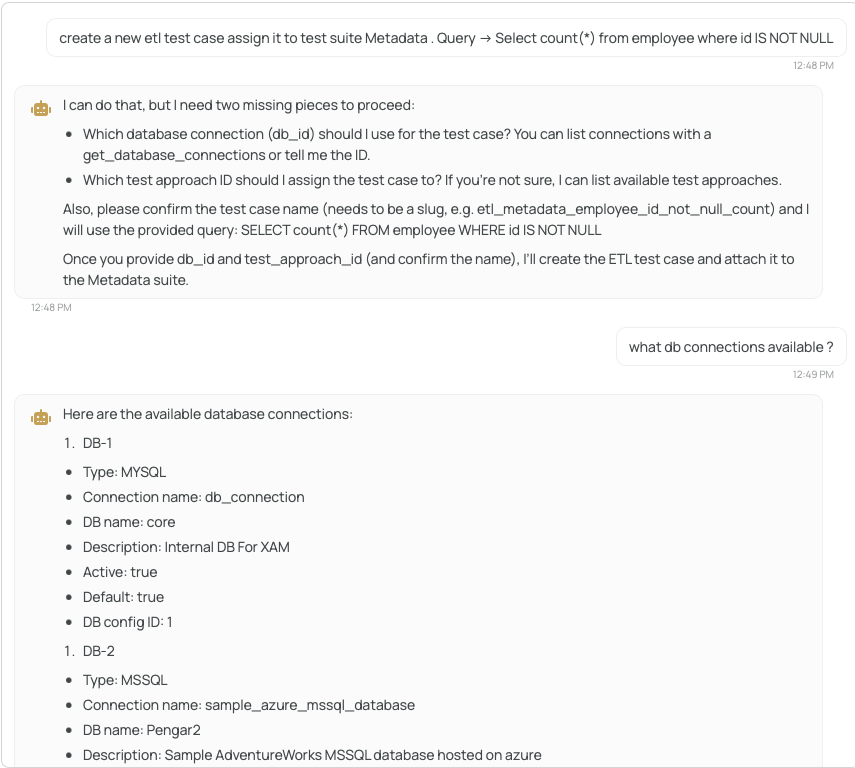
➕ Creating a Test Case
Ask the assistant to create a test case for you. If anything is missing, it will ask you for the missing parameters.
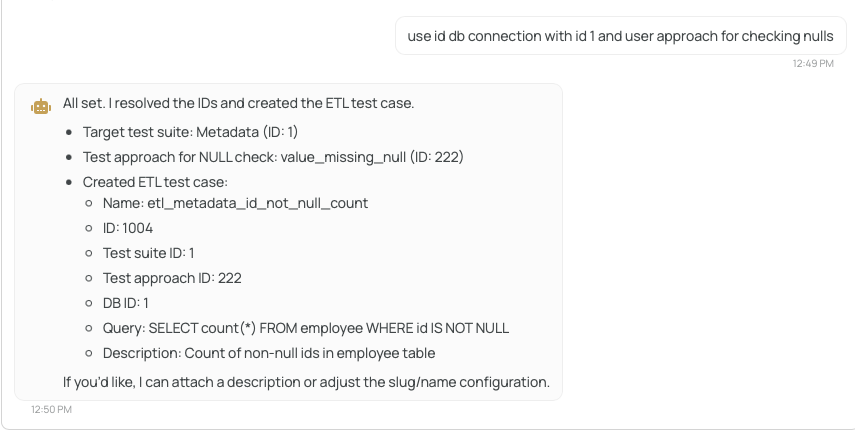
Once everything is provided, the test case is created on the spot:
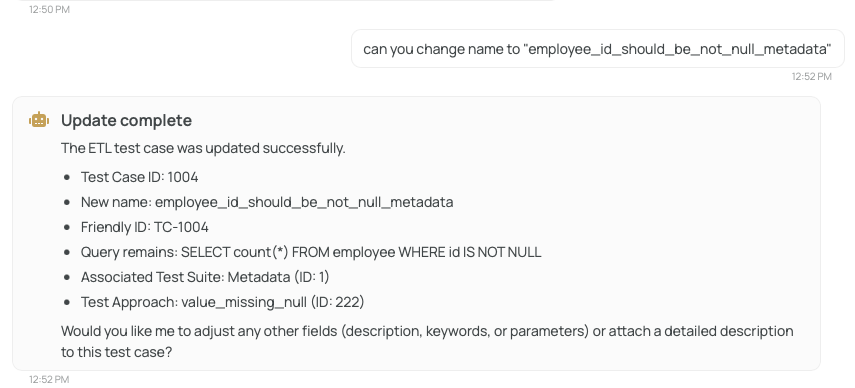
✏️ Updating a Test Case
The assistant can also update existing test cases without you ever leaving the chat.
🔎 Inspecting a Test Case
Get the full picture of a single test case in one message.
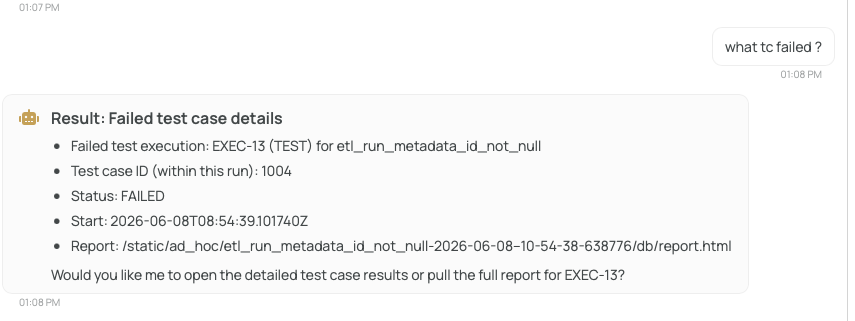
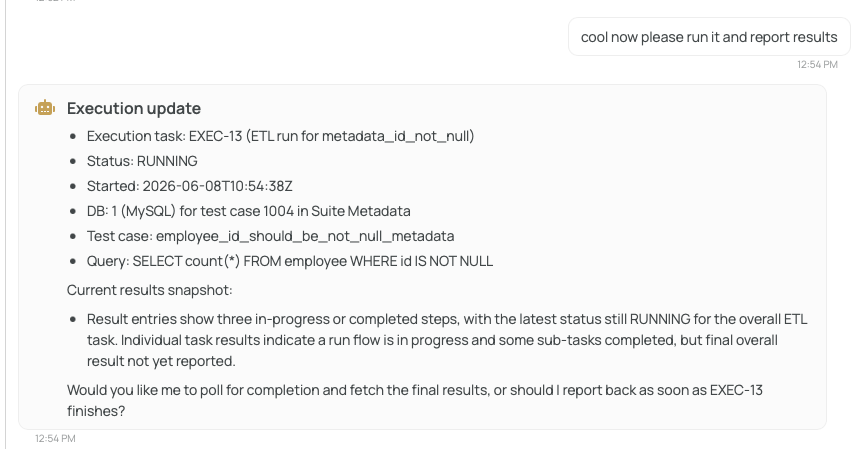
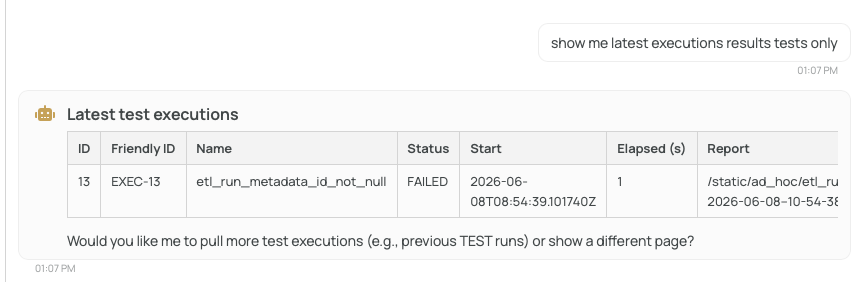
▶️ Running Tests and Fetching Results
Trigger an execution and pull back the results — directly in the conversation.
📌 Summary
| Capability | Description |
|---|---|
| Threads | Keep separate conversations scoped to important topics |
| Knowledge base | Ask questions about platform concepts and docs |
| Actions | Create, update, run, cancel, fetch — all conversationally |
| DQ insights | View latest runs, coverage stats, and quality results |
| Connections | Inspect and create database & Git connections |
| Templates & DAGs | Run workflows and templates from chat |
🚀 Next step: Want to expose X-AutoMate to your own AI agent? Check out the MCP Integration page.