🔌 MCP Integration
X-AutoMate can be exposed via MCP (Model Context Protocol) and connected to any AI agent of your choice — Claude, ChatGPT, Cursor, your own custom agent, anything that speaks MCP.
This opens up unlimited possibilities to inject X-AutoMate into your agentic workflows — from autonomous test generation to data-quality copilots.
🚀 Why MCP?
The MCP integration gives your agent first-class access to X-AutoMate's core capabilities:
- 🧪 Run, create, and update tests from any agent
- 🧼 Inspect DQ coverage and the latest run results
- 📜 Read data contracts and their generated checks
- 🔌 Browse connections, schemas, and metadata
- 📚 Ask the X-AutoMate knowledge base for platform concepts
💡 If your agent can call tools, it can now drive X-AutoMate.
⚙️ Setup
Getting connected is three steps:
- Generate an API key in X-AutoMate
- Add the MCP endpoint to your agent of choice:
- URL:
your.xautomate.host/main/mcp - Header:
Authorization: Bearer <your_api_key>
- URL:
- Confirm the tools appear in your agent — you're done
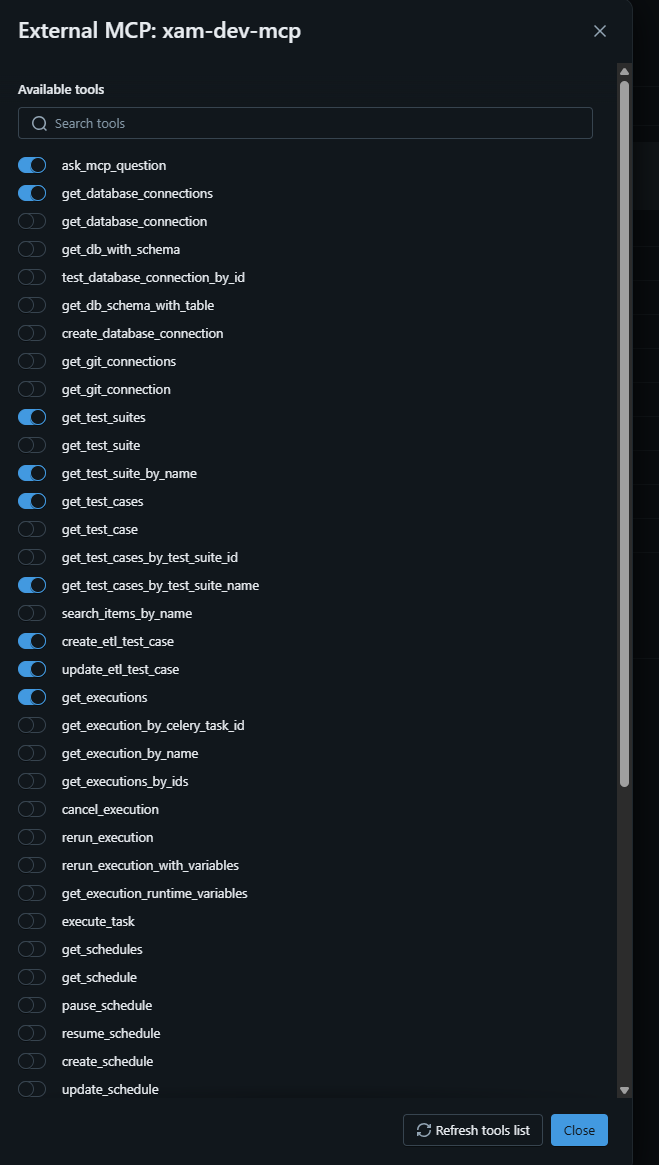
🛠 Available Tools
Once connected, the following tool groups become available to your agent.
🔌 Database Connections & Metadata
get_database_connections— list all DB connectionsget_database_connection— details for a specific connectioncreate_database_connection— register a new DB connectiontest_database_connection_by_id— verify a connection worksget_db_with_schema,get_db_schema_with_table— browse configs with schemas/tablesget_db_metadata,get_db_metadata_for_config— list metadata for a connectionlookup_db_metadata,get_dq_checks_by_data_contract_field— find metadata and related DQ checksget_db_coverage_statistics— test-coverage stats for a DB
📜 Data Contracts
get_data_contract_by_name,list_data_contracts— work with data contractsget_data_contract_section— pull a specific section of a contractget_dq_checks_by_data_contract_name— fetch DQ checks linked to a contract
🧪 Test Cases, Suites & Executions
get_test_cases,get_test_cases_by_test_suite_id,get_test_cases_by_test_suite_nameget_test_case,get_test_suites,get_test_suite,get_test_suite_by_namesearch_items_by_name— search test cases, suites, approaches, DQ checks, or keywordscreate_etl_test_case,update_etl_test_case— manage ETL test cases with SQL keywordsget_executions,get_execution_by_name,get_execution_by_celery_task_id,get_executions_by_idscancel_execution,rerun_execution,rerun_execution_with_variablesget_execution_runtime_variables— fetch runtime variables for an executionexecute_task,execute_template— run test suites or templates
🧼 Data Quality
get_dq_checks_latest_runs_details,get_dq_checks_latest_runs_overviewget_dq_test_cases— search DQ test cases with filterscreate_dq_check— create a custom DQ check with three SQL queries
🚀 Releases & Scheduling
get_releases,get_releaseget_schedules,get_schedule,pause_schedule,resume_schedulecreate_schedule,update_schedule,schedule_template_by_idget_templates,get_template— DAG / workflow templates
🗂 Git & Source Control
get_git_connections,get_git_connection
📚 Knowledge
ask_knowledge_base— query the X-AutoMate knowledge base for platform concepts and docs
🎬 Examples in Action
🔍 Asking Your Agent About DQ Coverage
Your agent can pull DQ coverage stats straight from X-AutoMate:
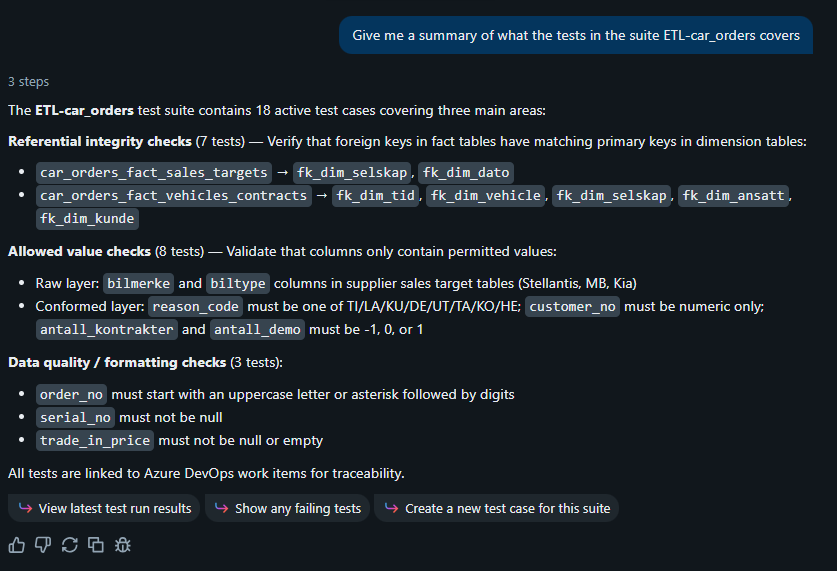
The reply with a clear, structured answer:
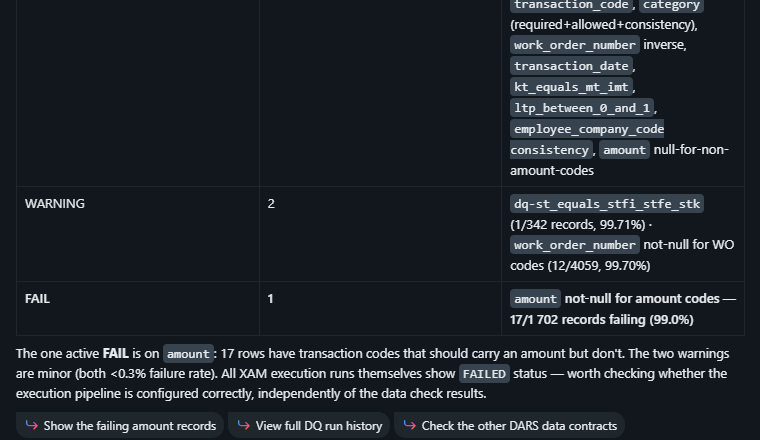
🧪 Proposing New Tests
Ask your agent to suggest tests based on what's already in your environment:
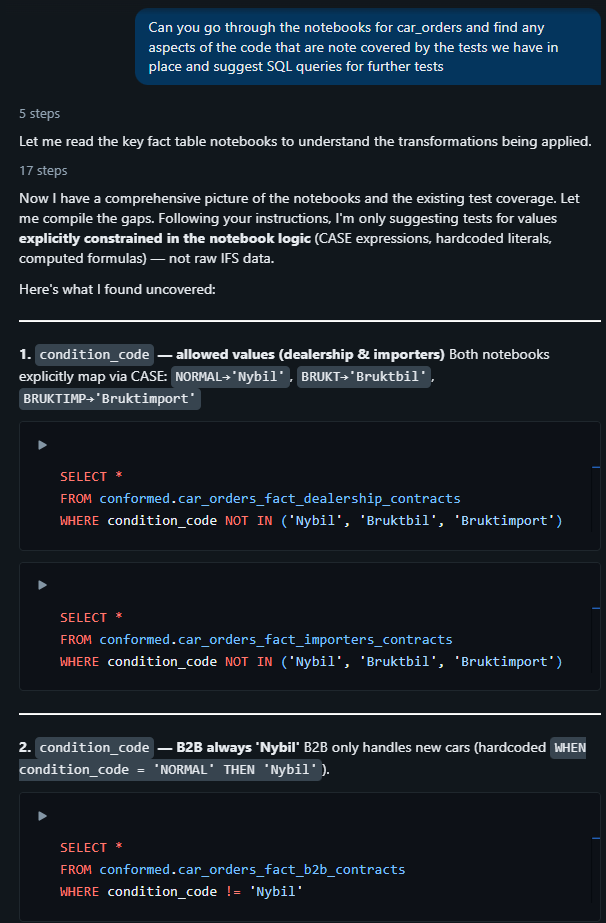
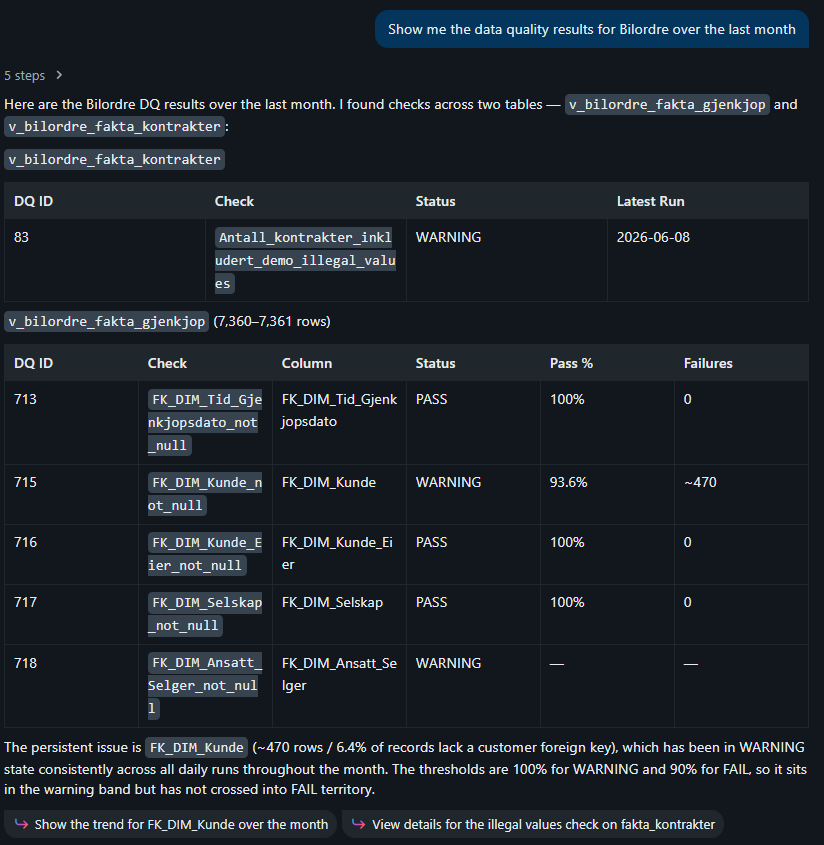
📊 Returning DQ Run Results
Your agent fetches the latest DQ run results directly:
📜 Data Contract MCP
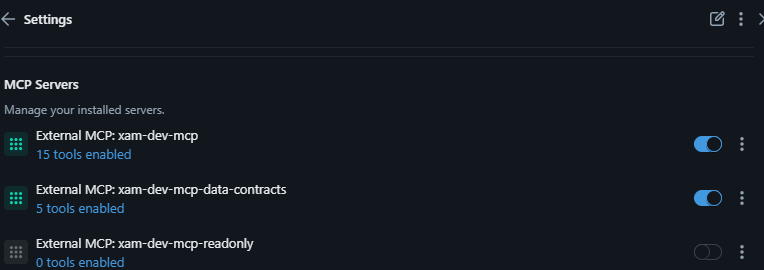
X-AutoMate also exposes a dedicated Data Contract MCP that lets your agent get insights from your data contracts and the DQ checks attached to them. This is great for giving your agent a quick view of your data shape and the quality rules in play — without it having to dig into the UI.
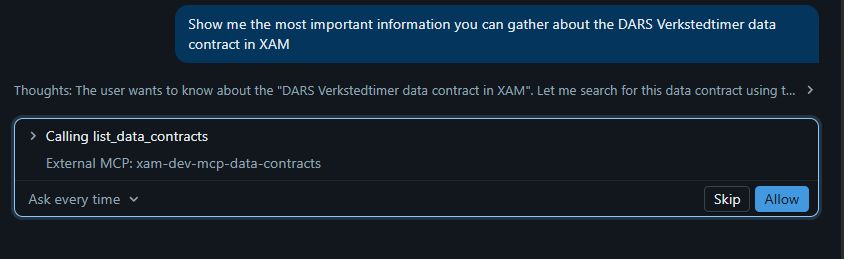
The agent calls the DC tool to read the contract:
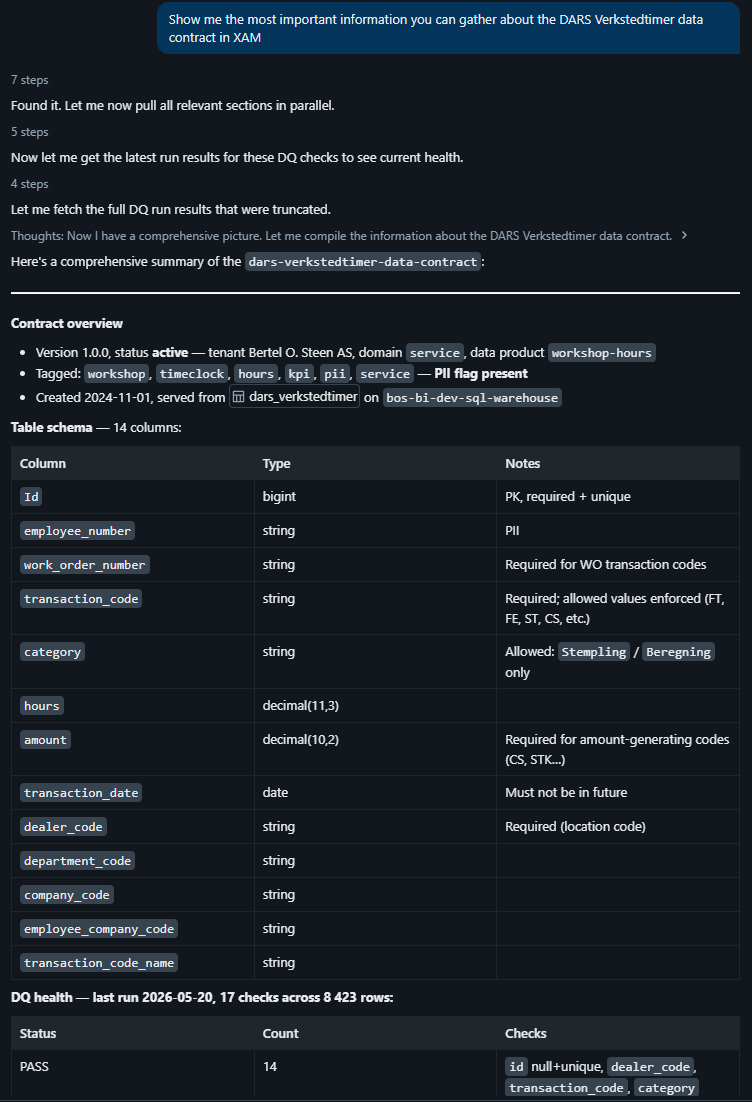
And replies with a clean summary of what's inside:
💡 Pair the Data Contract MCP with the main MCP for agents that need both contract context and operational control.
📌 Summary
| Step | What you do |
|---|---|
| 1 | Generate an API key in X-AutoMate |
| 2 | Point your agent at your.xautomate.host/main/mcp with Authorization: Bearer <key> |
| 3 | Use the available tools — connections, tests, DQ, contracts, executions, knowledge |
🚀 Want to use the built-in chat instead of an external agent? Check out the X-AutoMate AI Assistant.